

Large venue ticketing software is the system that sells tickets, controls capacity, manages seating and checks people in when thousands of them show up at once. AudienceView, vivenu and Tessitura are built around enterprise contracts and custom quotes. TicketSpice is all-in-one and works for events of any size, with three pricing tiers starting at 99¢ per ticket and the option to pass ticketing fees to your buyers and keep more of your ticket revenue.
What happens on a big on-sale day
It's 9:58 a.m. Tickets for the winter concert go live at 10am. Your phone lines are open, the box office is staffed, and thousands of fans are refreshing the page.
Nothing about that morning is about features. It's about whether the system holds up, whether seats don't double sell, and whether the person at the gate can scan a ticket in two seconds.
That's how you put a large venue ticketing platform to the test. The rest of this guide helps you run it on any platform you're considering.
What Counts as a Large Venue?
A large venue isn't defined by a specific number of seats or attendees. In ticketing, a venue becomes "large" when its ticket sales volume, capacity management, and onsite operations require more than basic ticketing tools.
A 2,000 person attraction with timed entry, multiple admission gates, and thousands of seasonal visitors may have more complicated ticketing needs than a 5,000 seat venue hosting one event.
Here's how to tell if your venue needs large-scale ticketing software:
• High-volume ticket sales. Thousands of tickets may sell within hours or minutes, requiring a platform that can handle simultaneous purchases without overselling inventory.
• Multiple ticket types and capacity limits. General admission, reserved seating, VIP packages, timed-entry slots, and add-ons need to work together without creating inventory conflicts.
• Connected online and onsite sales. Your website, box office, and self-service kiosks should pull from the same live inventory so staff always know what's available.
• Multiple entrances and scanning devices. Large crowds require fast check-in, reliable duplicate detection, and accurate attendance reporting across different gates.
• Recurring events or seasonal operations. Managing multiple dates, changing capacities, memberships, and season passes creates more moving parts than a single-day event.
• Real-time reporting and team access. Staff need visibility into ticket sales, remaining capacity, and attendance without manually combining reports or spreadsheets.
Our guide to ticketing software for large events uses 5,000+ attendees as a practical benchmark, but it's not a requirement. Plenty of smaller venues face the same challenges.
That's why choosing large venue ticketing software is less about how many seats you have and more about how well your platform handles everything happening behind the scenes.
TicketSpice brings online and onsite ticket sales, capacity management, mobile scanning, and reporting into one connected platform, helping events and attractions manage higher volumes without adding unnecessary work for their teams.
The rest of this guide breaks down what to look for when evaluating those capabilities.
Large venue ticketing software compared
Questions to ask any vendor before you sign
Use these on every platform, including ours. They tell you far more than a feature list ever could.
How a large event looks on TicketSpice
In a customer spotlight, Christmas at the Princess at the Fairmont Scottsdale Princess reported a 450% increase in ticket volume and over half a million guests. Read the full story in this winter attraction spotlight.
The Albuquerque International Balloon Fiesta reported an estimated 838,337 guest visits across 14 sessions, as covered in our large events guide.
Here's the setup large operators typically build:
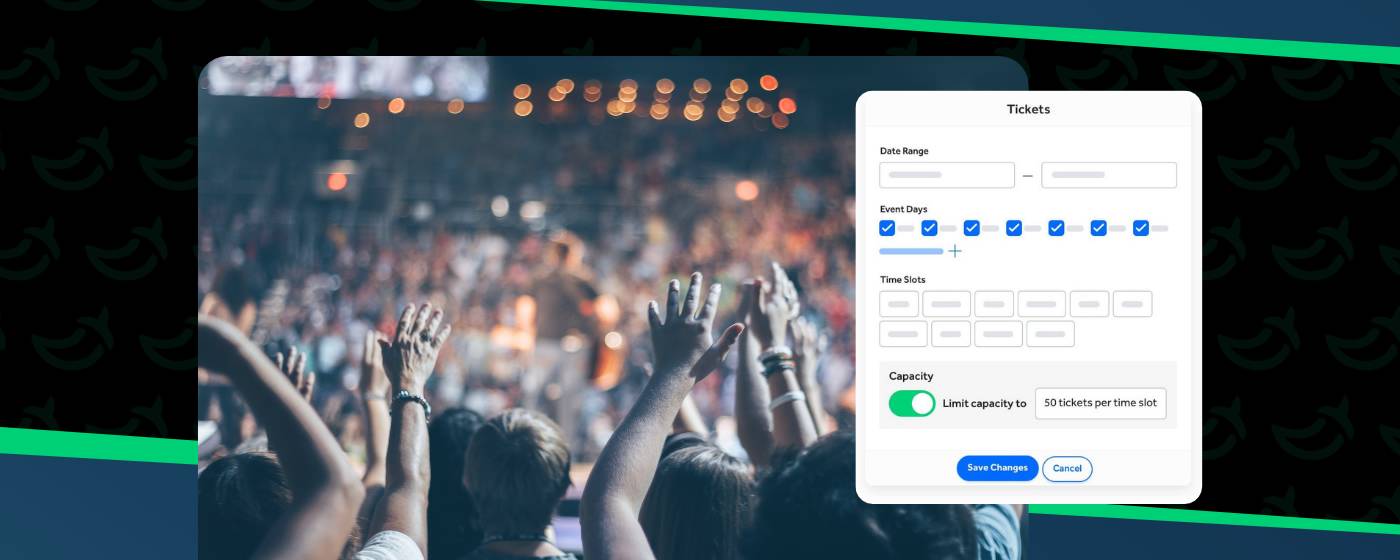
1. Sell by time slot. Set capacity for each slot so a busy hour doesn't overload the gate.
2. Use dynamic pricing. Charge more for peak dates with date-based pricing, using conditional logic.
3. Open the box office. Sell walk-up tickets on the same platform.
4. Scan at every gate. Use your staff's own devices, even offline.
5. Review the numbers. Daily or weekly payouts and bank reconciliation reports keep finance in the loop.
FAQs
What is the best large venue ticketing software?
If you want all-in-one ticketing with per-ticket pricing and the option to pass fees to buyers, TicketSpice is built for that. AudienceView, vivenu and Tessitura are typically evaluated through custom quotes and sales conversations.
How much does large venue ticketing software cost?
It varies by vendor. TicketSpice offers three pricing tiers starting at 99¢ per ticket, plus 2.9% + 30¢ standard card processing, with the option to pass ticketing fees to your buyers and keep more of your revenue. AudienceView offers per-ticket or annual subscription pricing. vivenu and Tessitura set pricing through their own agreements and quotes.
Does TicketSpice work for large venues?
Yes. TicketSpice is affordable for small events or attractions and powerful for large, high-volume ones. It includes timed entry, reserved seating, a box office app, offline scanning and branded checkout.
Can large venues sell reserved seats and general admission?
Yes, on TicketSpice. Build a seating chart with the drag-and-drop builder, hold seats, and sell general admission or timed tickets for the same event.
How do I handle long lines at the gate?
Use mobile scanning at every entrance and sell by time slot. TicketSpice scanning works offline and flags duplicate scans.
What should I look for in enterprise ticketing software?
Look for clear pricing, a fee model you control, capacity control, seating, box office tools and reliable scanning. Ask each vendor the questions in the table above.
Run a test before you commit
Pick your busiest day from last year. Ask each vendor to walk you through that day: how tickets go on sale, how capacity is held, how walk-up sales are handled and how gates scan.
If a vendor can't show you the day on screen, that's your answer.
How to choose large venue ticketing software
Start with how you sell, then check what it costs, who pays the fees and how fast you can get your ticket page live. Compare vendors against your busiest day, not a demo.
TicketSpice is built for organizers who want online sales, box office, timed entry, reserved seating and scanning in one platform, whether you run a single-night show or a seasonal attraction. With three pricing tiers starting at 99¢ per ticket and the option to pass fees to your buyers, you can see the starting price before any sales call.
We're here to help you pick the setup that fits your venue and your budget. See TicketSpice pricing.
The TicketSpice Team