



Experience a Demo of TicketSpice

Watch an instant demo of our best ticketing features or register for a custom VIP demo for larger events & attractions.

The TicketSpice demo covers everything from creating your ticketing page, to managing attendees, reporting, and on-site ticket scanning.

On-Demand Demo
On-Demand Demo
VIP Demo
VIP Demo
G2 logo.
Capterra logo with colorful paper airplane icon.

Rated 4.9/5 - from over 500 reviews

  • G2 Fall 2025 High Performer Enterprise badge with red and yellow chevron accents.
  • G2 badge for Best Results in Small Business, Fall 2025.
  • G2 Fall 2025 High Performer Mid-Market badge with red and yellow chevron design.
  • G2 Fall 2025 badge for Best Support in Enterprise category.
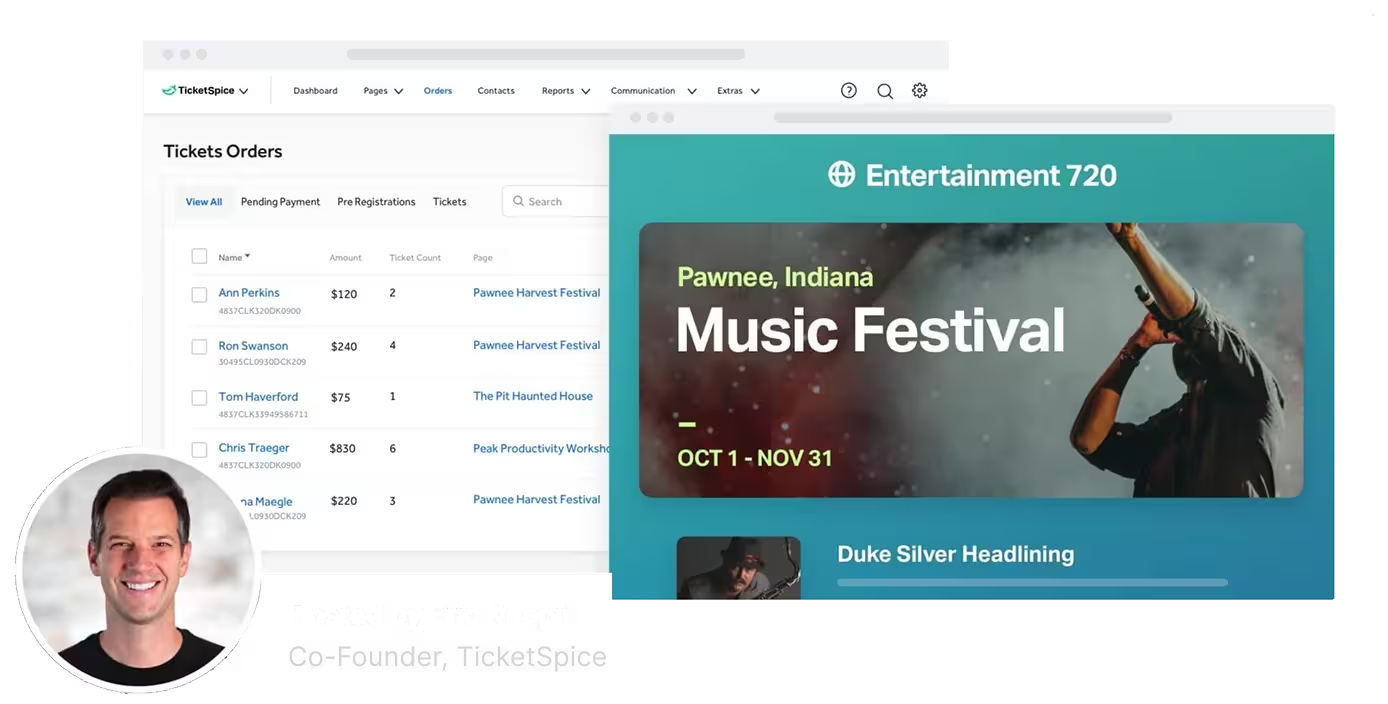
Screenshot of TicketSpice dashboard showing ticket orders and a music festival event page for Pawnee, Indiana, hosted by Eric Knopf.

Event Ticketing Reports Your Team Will Love

Getting fast access to data and reports is essential to the success of your event ticketing. TicketSpice offers a wide variety of reports from payout summaries, ticket holder data, scanning reports, box office sales and so much more.

Plus, every export is highly customizable and can be automatically emailed to your team.

Event report summary

Everything you need and want to know about your event is summarized in one glorious web based report. Get instant visibility into tickets sold, fees collected, remaining inventory, total revenue, refunds, and breakouts of add-ons and upgrades.

The report summary is the most comprehensive snapshot of the overall performance of your event and can be downloaded directly to excel and shared with your team.
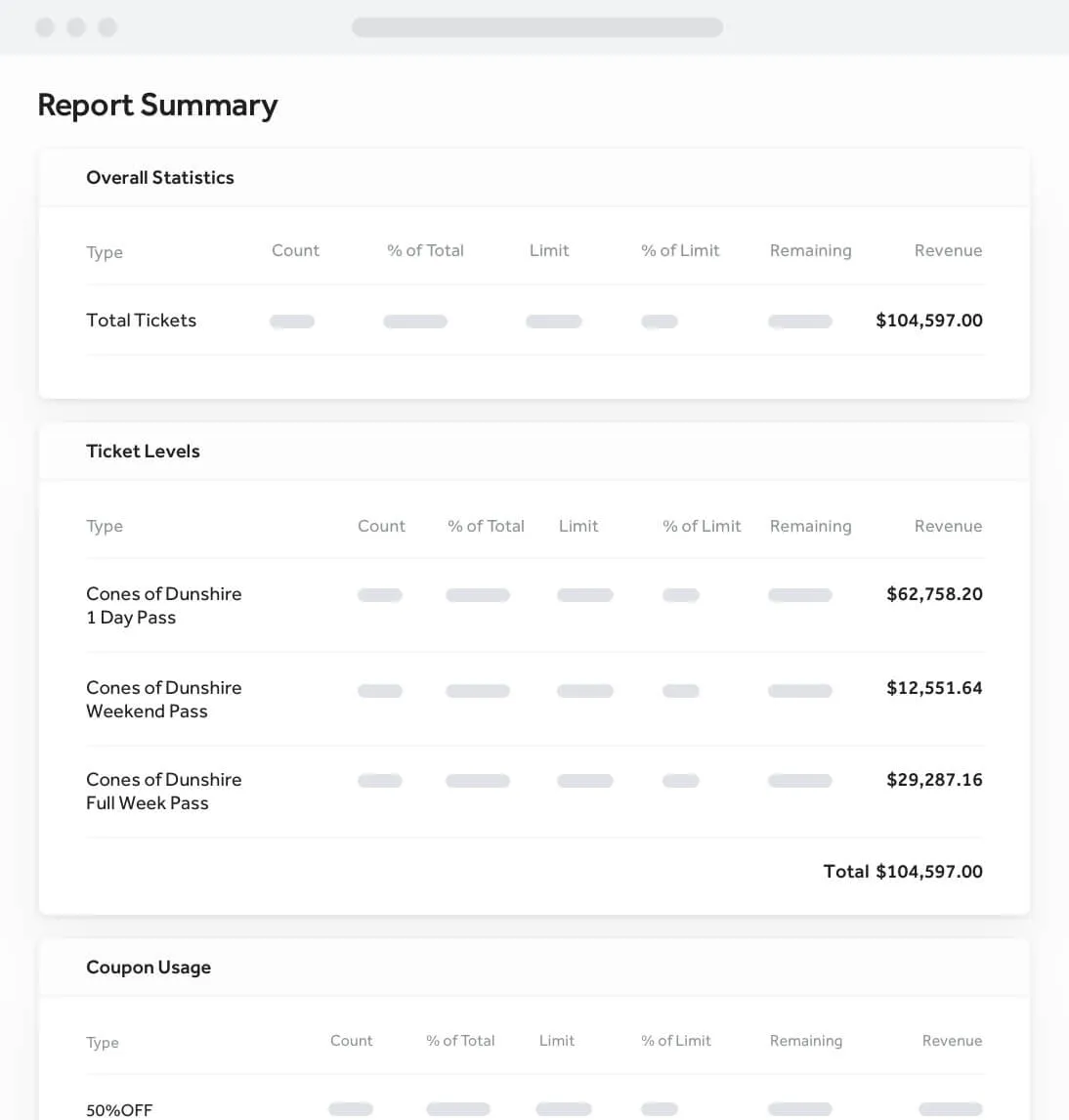
a screenshot of a report

Ticket order exports

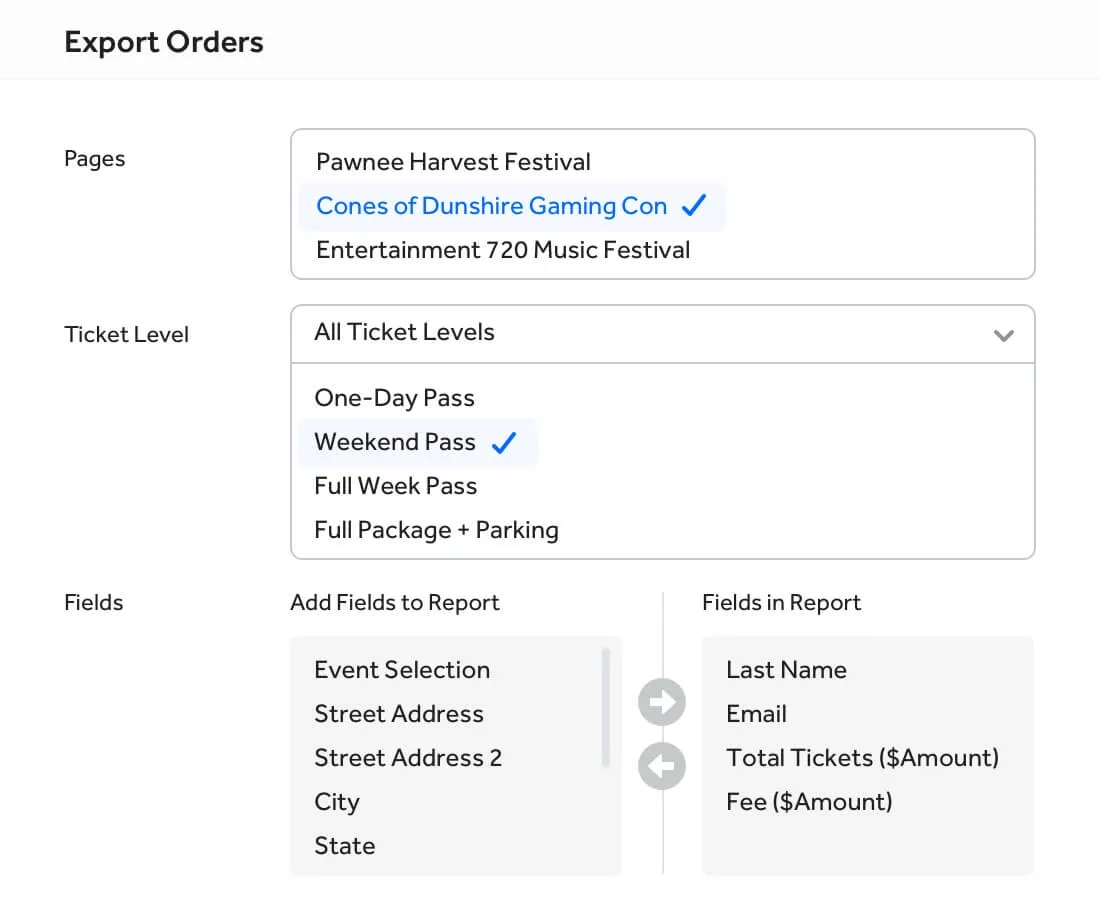
Get detailed downloads of your ticket buyers including all their purchases and selections. Customize which data points you want to included or excluded and download your data instantly into excel or csv file.

a screenshot of a computer

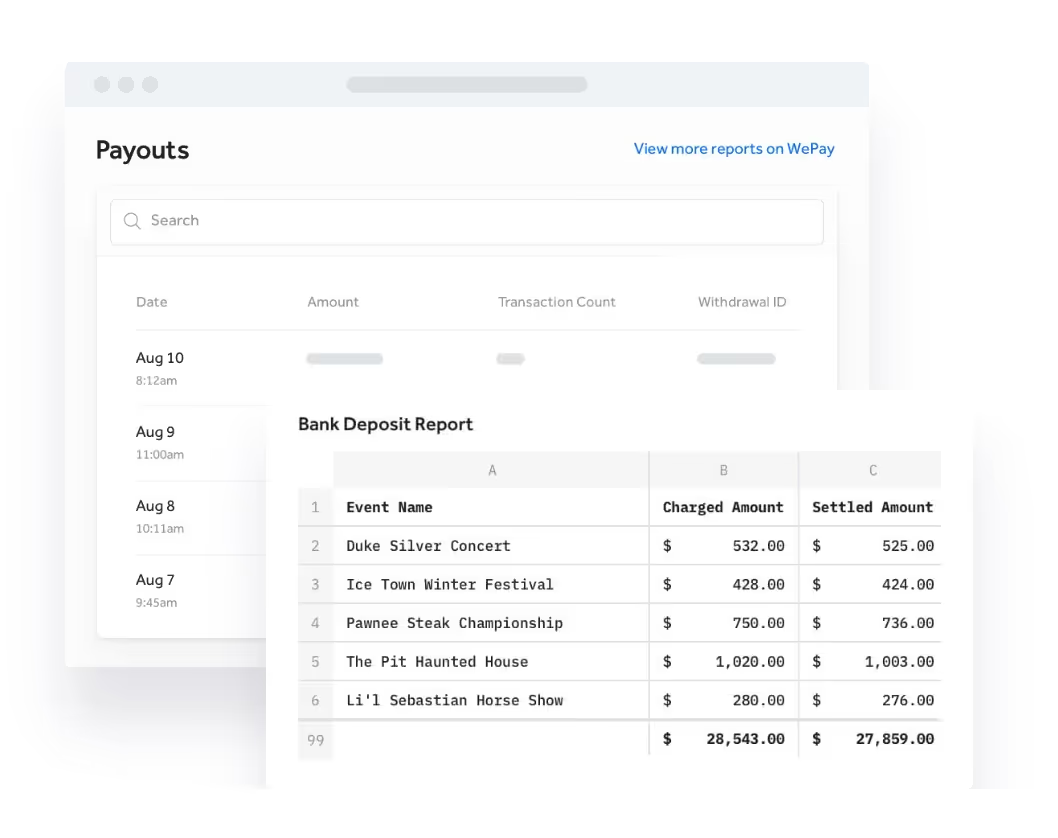
Event payout statements

Download beautiful reports summarizing your event ticketing payouts and revenue so you can reconcile your books in no time. These reports show the payout dates, total payout, and everything about each ticket buyer.

Run this report any time you want or schedule it to run and and email the results to your bookkeeper automatically.

a screenshot of a computer

We’ve got an export for everything

When you need precise and detailed reports, TicketSpice likely has exactly the report you need.

Need a ticket scan report by device? TicketSpice has an export. Need a box office sales summary by channel? TicketSpice has an export. Need to merchandise sales report for on-site redemption? TicketSpice has an export. TicketSpice gives you more data exports and reports for your event than any other ticketing platform on the market.

a screenshot of a computer

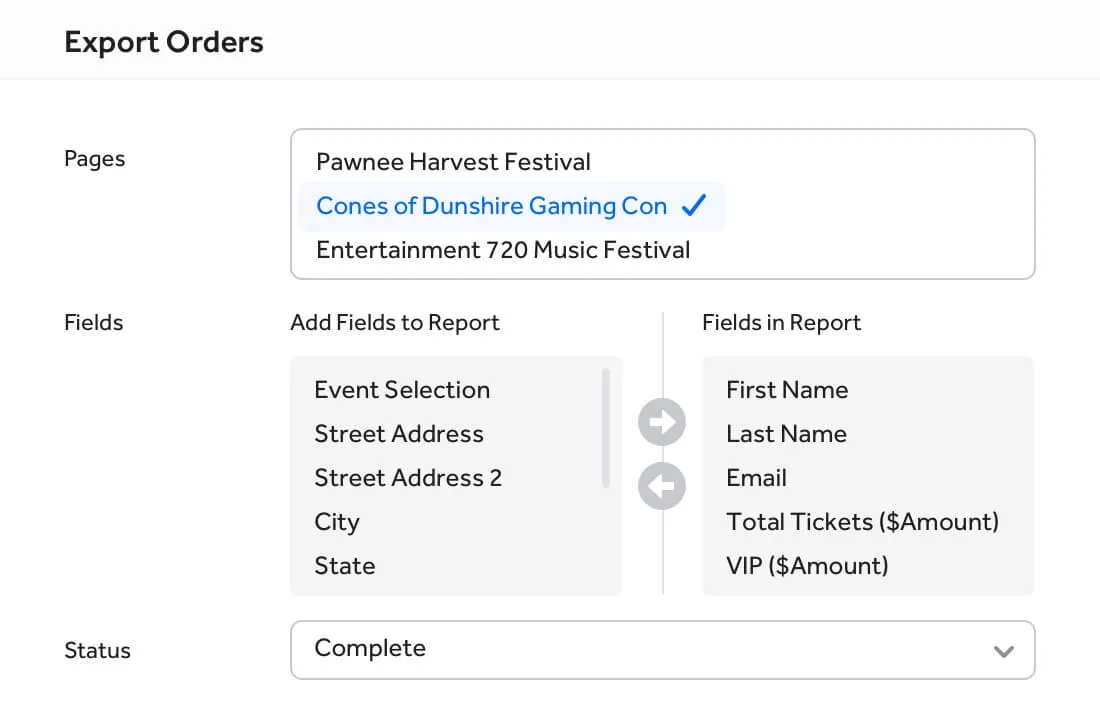
Ticket exporter with filters

Getting access to a roster of all your tickets shouldn't be a hassle. Generate an export file of all your ticket holders with just a few clicks. Filter out your enter data set by selecting a specific ticket level to export along with any date and status filters.

a screenshot of a export order

Auto scheduled reports with email delivery to your team

Create detailed custom reports for your event and run them any time you want. Better yet, configure reports to auto-run on a given date or regular interval and send the report directly to your team.

Make your accountant's day by including all records or just new records from the last time the export ran.

a screenshot of a schedule

Join a TicketSpice Demo

Seeing is believing. Attend a demo and check out event ticketing with TicketSpice. You’ll learn to use the ticketing page builder, manage attendees, run reports, and more.

Attend a Demo
Attend a Demo
a man smiling for a picture
Portrait of Eric Knopf, CEO and Co-Founder of Ticketspice, smiling and wearing a light gray button-up shirt.
Black modern electric trick scooter parked on a sidewalk near a wall with shadow.
Blurred abstract image with teal and green tones and horizontal streaks on the right side.
a black play button in a white circle