
Overbooking and no-shows might seem like opposite problems, but for attractions, they're two sides of the same headache. One leaves guests frustrated when there's no room, while the other leaves valuable capacity sitting empty.
The solution starts with better capacity management. To prevent overbooking, businesses need ticketing software that tracks online and onsite sales against the same live capacity limits. To reduce no-shows, they need a way to release unused capacity and make those spots available again.
TicketSpice helps attractions manage both with timed-entry ticketing, shared capacity limits, and controls that stop sales once a date or time slot reaches capacity.
This guide breaks down how attractions can prevent overbooking, manage no-shows, and make better use of their available capacity without adding more work for their teams.
Overbooking and No-Shows Are Different Problems
Start by naming which one you have. The fixes are not the same.
How to Prevent Overbooking
Count capacity in one place
Overbooking usually starts when two systems each think they have the last ticket. An online store sells 200 spots while the box office sells the same 200 from a spreadsheet. Neither is wrong by its own count.
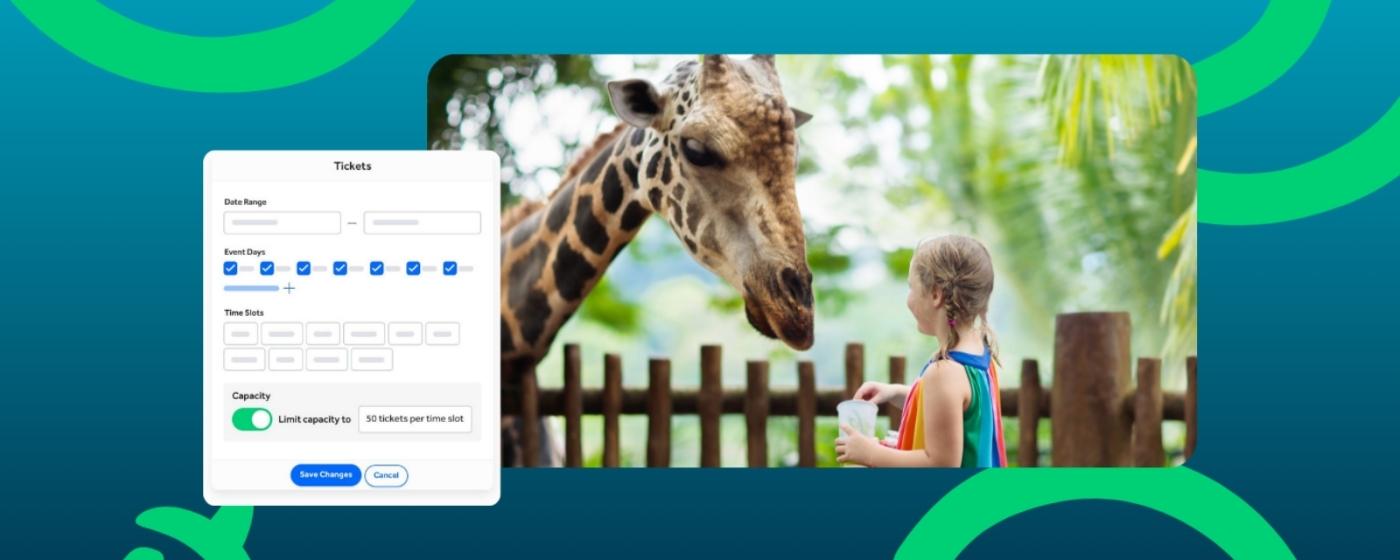
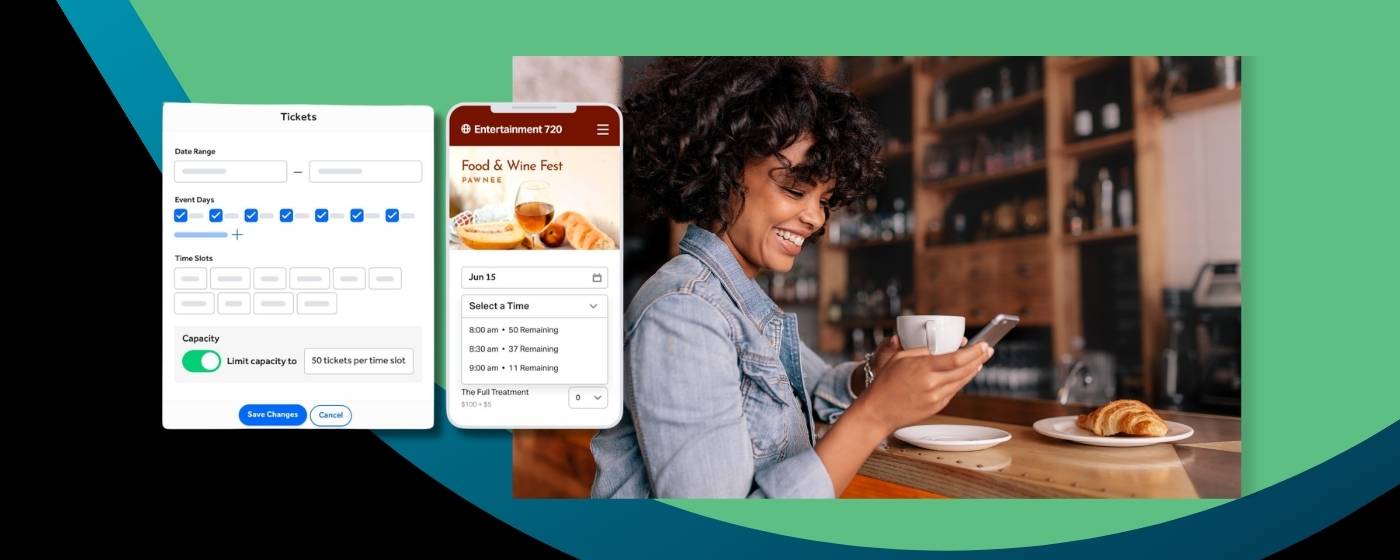
The fix is one inventory shared by every channel. With TicketSpice, you set a capacity limit for a day or time slot, and sales across all ticket levels will not exceed it. Online sales and the Box Office app work from the same count, so a walk-up sale uses the same capacity as an online order.
Let the software say no
A hard stop means the system refuses the sale at the limit, so no one has to remember a number during a rush. It also means a staff member cannot accidentally sell past capacity on a busy afternoon.
TicketSpice uses real-time inventory locking, so a spot is held while a buyer checks out. Capacity rules can be set by day, location, ticket level, and time slot. For the setup steps, see our guide to timed entry and reservation ticketing software.
Exempt the right tickets, and only those
Not every ticket should count against the cap. Staff, performers, and some member levels are common exceptions. In TicketSpice, a ticket level can be exempt from a capacity rule, so the cap stays accurate for the guests it is meant to control.
Check the count at the gate
Scanning confirms who actually arrived. The ticket scanning app stores ticket data on each device, works offline, and syncs when the connection returns. It alerts staff to duplicate scans, so a shared screenshot does not take a second spot.
How to Reduce No-Shows
Plan for them, then recover them
Some guests will not show up, even with paid tickets. Instead of fighting that, plan for it. A reasonable approach has three parts:
• Keep a walk-up buffer. Hold back part of each slot for guests who decide on the day. If every slot is sold out online, your gate has nothing to sell and your line has no reason to exist.
• Release unused capacity. Pick a time after the slot starts, such as 25 minutes in, and put unscanned spots back on sale for walk-ups.
• Watch your own data. Compare tickets sold to tickets scanned by slot and by day of week. Adjust the buffer and release time to match.
Start with a small buffer and adjust. The right numbers depend on your ticket price, your audience, and how many guests book far ahead. Members and passholders often no-show more than guests who paid for a single day, so check that group first.
Send reminders that give people a reason to come
Confirmation emails and text reminders cut down on forgotten visits. Include the date, arrival window, and what to bring, and make the QR code easy to find. TicketSpice offers optional email and text tools for this. See our guide to confirmation emails and text reminders.
Make rebooking easy
Guests who cannot come will often skip a visit instead of asking for a change. A clear way to move a booking frees the slot sooner and keeps the sale.
Price to match commitment
Paid, dated tickets create more commitment than free or open-date ones. For attractions with timed entry and date-based pricing, set different prices for peak and off-peak slots with conditional logic, so busy slots carry their value.
A Simple Setup Checklist
Use this list when you configure a new season:
• Set capacity by day or time slot for every ticket type that uses a slot.
• Confirm online and gate sales draw from the same count.
• Choose which ticket levels, if any, are exempt from the cap.
• Reserve a share of each busy slot for walk-up guests.
• Decide when unscanned spots go back on sale.
• Turn on reminders for every booking.
• Scan at every entrance, and review sold versus scanned after each weekend.
What to Ask Any Ticketing Platform
Use these questions in demos, whichever platform you consider.
FAQs
How do attractions prevent overbooking?
Attractions prevent overbooking by selling every ticket from one live capacity count that stops sales at the limit. TicketSpice lets you set a limit by day or time slot, and sales across all ticket levels will not exceed it, online or at the gate.
What is a capacity hard-stop?
A capacity hard-stop is a software limit that refuses new sales once a day or time slot is full. It does not rely on staff to count tickets. In TicketSpice, a capacity limit holds across all ticket levels, and specific levels can be exempt.
How do you reduce no-shows at an attraction?
Reduce no-shows by sending reminders, making rebooking easy, and releasing unused capacity back to walk-up sales after a set time. Track sold versus scanned tickets by slot so you can adjust your buffer.
What is inventory locking in ticketing?
Inventory locking holds a spot for a buyer while they check out, so two people cannot buy the same last ticket at the same time. TicketSpice uses real-time inventory locking alongside its capacity limits.
Should attractions leave room for walk-up guests?
Yes. Keeping part of each slot for walk-ups prevents a full online sellout from leaving your gate with nothing to sell. TicketSpice's Box Office app sells from the same capacity as online orders, so walk-up and online sales stay in sync.
How much does ticketing software cost for attractions?
TicketSpice offers three pricing tiers starting at 99¢ per ticket, plus card processing of 2.9% + 30¢ per transaction. You can pass ticketing fees to your buyers or absorb them. See current pricing.
Fewer Empty Slots, Fewer Turned-Away Guests
Overbooking and no-shows both come from the same gap: what your system thinks is available and what is really happening at the gate. Close it by selling from one live count, stopping sales in software, and releasing unused spots on a schedule.
TicketSpice is an all-in-one ticketing platform built for attractions. It combines timed entry, capacity controls, online and onsite sales, offline scanning, and branded checkout in one account. For a broader comparison, see our guide to the best attraction ticketing software and our guide to box office and on-site ticket sales software.
We're here to help you fill every slot, turn away fewer guests, and make every busy day a little easier.
See how TicketSpice sets capacity limits for timed entry.
The TicketSpice Team