
Why on-site sales need the right box office software
The right box office software should be able to answer these four questions before doors open:
- • Can staff accept every kind of payment guests will bring?
• Will door sales and online sales draw from the same inventory and reporting?
• Can you clearly show where every dollar went at the end of the night?
• What does each walk-up ticket cost you in fees?
For businesses running events, attractions, festivals, and farms, TicketSpice is the strongest overall box office ticketing platform in this comparison. Its free Box Office app connects onsite payments, cash management, cashier reporting, ticket printing, self-service kiosks, and online ticket sales in one system, with a flat 49¢ platform fee per paid card ticket sold onsite, plus processing.
This guide compares six box office ticketing platforms based on payment options, cash handling, printing, kiosks, reporting, and pricing, so you can find the right setup for your business.
Best Box Office Ticketing Software Compared
TicketSpice is the strongest overall box office ticketing solution in this comparison for businesses that need onsite payments, detailed cash management, cashier reporting, printing, self-service kiosks, and online ticketing working together.
With predictable flat per-ticket platform pricing and connected ticketing operations, TicketSpice offers a more complete fit for festivals, attractions, venues, and recurring events.
How We Evaluated On-Site Ticketing Platforms
Each platform was compared on five factors:
- Payment flexibility: Cards, mobile wallets, tap-to-pay, and cash at the door.
- Cash management and accountability: Opening and closing balances, per-cashier reporting, voiding mistakes.
- Hardware and printing: Receipt printers, hard stock tickets, wristbands, and self-service kiosks.
- Sync with online sales: One inventory and one set of reports for online and door sales.
- Pricing: Whether fees are published and stay predictable as walk-up volume grows.
Note: Features and pricing change. Confirm details with each vendor before you commit, especially hardware compatibility.
TicketSpice: Best Overall Box Office Ticketing Software
TicketSpice's Box Office app lets your team sell tickets and merchandise, manage admissions, and process payments from a single app. The app is free to download from the App Store, and sales, reporting, and admissions stay synchronized in real time with your online ticketing.
Payments. Staff can accept credit cards, tap-enabled cards, Apple Pay, Google Pay, and cash. Sales from the door and from your online checkout land in one centralized report.
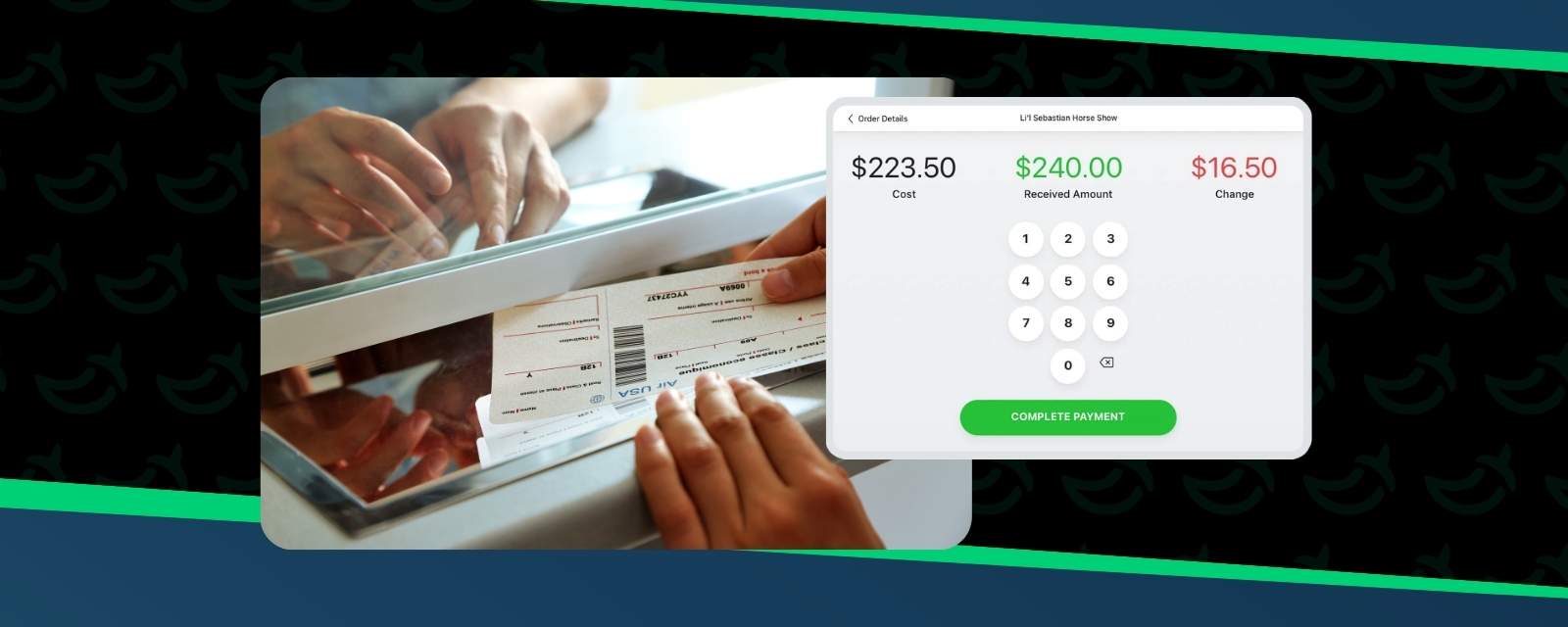
Cash management and cashier reporting. If you run a cash box, TicketSpice tracks opening and ending cash balances, supports a cash drawer, and records each team member's sales by payment type. You get detailed sales reports by cashier, which turns end-of-night reconciliation into a report instead of a spreadsheet exercise. Staff can also view and void recent on-site orders to fix mistakes quickly.
Box-office-only pricing and ticket levels. When you create ticket levels, you can set box-office-only pricing, and you can mark which ticket levels are sellable on-site. That lets you hide specialty ticket levels at the door or offer a walk-up price without touching your online ticket types.
Printing. The app syncs with popular Bluetooth receipt printers for tickets and receipts. For premium events, reserved seating venues, attractions, and festivals, it is compatible with Boca printers for hard stock tickets and admission wristbands. It also supports text-message delivery of on-site sales, so a guest can receive a ticket on their phone without a printer.
Self-service kiosks. You can turn an iPad into a self-service kiosk for admissions, registrations, and ticket sales. Guests complete purchases on their own while sales, inventory, and reporting stay in sync.
Pricing. TicketSpice charges a flat 49¢ platform fee per paid ticket sold through its Box Office app using a credit card, plus applicable payment processing. Cash ticket sales have no TicketSpice per-ticket fee. The fee can be passed to the buyer or absorbed. Unlike percentage-based ticketing fees, TicketSpice's Box Office platform fee does not increase as ticket prices rise. See TicketSpice pricing for details.
Key Features
- • Free Box Office app with tap-to-pay, mobile wallets, cards, and cash
- • Cash tracking, cash drawer support, and cashier sales reports by payment type
- • Box-office-only pricing and ticket levels
- • Bluetooth receipt printing and Boca printer support for tickets and wristbands
- • iPad self-service kiosk mode
- • Text-message delivery of on-site ticket sales
- • View and void recent orders
- • Real-time sync with online sales
- • Full offline scanning with automatic sync for check-in (see our QR code ticketing guide)
Pros
- • One system for online and on-site sales, inventory, and reporting
- • Flat 49¢ per paid card ticket Box Office platform fee that does not grow with ticket price
- • Strong cash accountability for teams running a cash box
- • Rated 4.9/5 from over 500 reviews
Cons
- • No built-in discovery marketplace (use Google Event Discovery to increase visibility)
- • Box Office app is available for iPhone and iPad, not Android
- • More focused on event and attraction ticketing than enterprise conference management
Best for: organizers of events, festivals, farms, and attractions that sell a meaningful share of tickets at the door and want predictable costs, connected onsite operations, and detailed reporting.
Eventbrite
Eventbrite pairs event ticketing with a consumer-facing marketplace and an Organizer app. However, pricing is where organizers feel friction with Eventbrite. Its percentage-based pricing can make costs less predictable as ticket prices increase. . Eventbrite also has permission to use your attendees' data for its own business purposes and to share it with affiliates.
Pros
- • Marketplace traffic can drive organic advance sales
- • Free events are free
Cons
- • Percentage-based fees compound on higher-priced tickets and on walk-up sales
- • Eventbrite-centered branding and customer experience can be less appealing to businesses prioritizing their own brand
- • Additional marketing tools may come with separate costs
Best for: free or low-priced public events where marketplace discovery is prioritized over per-ticket platform pricing and branding control.
Freshtix
Freshtix works for independent venues, festivals, and breweries. Businesses evaluating Freshtix should compare its specific payment setup, reporting capabilities, and overall ticketing costs against their operational needs.
Pros
- • Supports online and onsite ticket sales
- • Offers box office workflows for in-person events
Cons
- • Total costs depend on the applicable fee and processing structure
- • Smaller feature set for corporate and conference use
- • Advanced operational requirements may require additional setup or verification
Best for: independent venues and smaller events with basic onsite ticketing needs.
Ticket Tailor
Ticket Tailor offers usage-based ticketing with onsite sales through its Check-in app. However, businesses must account for separate payment processing fees, processor setup, and the costs of certain additional features when evaluating its total value against TicketSpice.
Pros
- • Usage-based pricing
- • Mobile check-in and basic onsite sales
Cons
- • Requires a separate payment processor for online transactions
- • Certain features, including reserved seating and white-label options, introduce additional costs
- • Payment processing and platform fees must be considered together to understand total cost
Best for: small organizers running simple door sales who do not need advanced hardware, deep reporting, or complex customization.
Cvent OnArrival
Cvent OnArrival is designed for large enterprise corporate conferences and trade shows. Its broader enterprise setup and additional premium capabilities may introduce unnecessary cost and complexity for smaller events and attractions looking for a straightforward ticketing and box office solution.
Pros
- • Enterprise-oriented onsite registration
- • Badge printing and self-service capabilities available through premium options
Cons
- • Custom pricing makes costs harder to evaluate upfront
- • Certain onsite capabilities require premium licensing
- • May be more complex than necessary for businesses with straightforward ticketing needs
Best for: enterprise conferences, trade shows, and regulated-industry events with dedicated onsite operations teams.
ShowClix
ShowClix focuses on ticketing and box office operations for venues and reserved-seating events. Businesses evaluating ShowClix should compare its pricing, hardware requirements, and overall setup with TicketSpice's flexible online and onsite ticketing tools.
Pros
- • Box office workflows for venue operations
- • General admission and reserved-seating ticketing
Cons
- • Standard pricing is not readily available as a single public rate
- • Printing and hardware requirements may add operational considerations
- • Total costs and reporting requirements need to be confirmed for the intended setup
Best for: venues and theaters mixing general admission and reserved seating with basic box office requirements.
Why TicketSpice Is the Stronger Choice for Onsite Ticket Sales
For businesses comparing onsite ticketing platforms, TicketSpice offers a more complete solution by connecting online ticket sales, Box Office transactions, mobile scanning, branded checkout, attendee CRM, marketing tools, and reporting in one platform.
Unlike platforms with percentage-based ticketing fees, separate processing requirements, or enterprise-focused setups, TicketSpice combines flexible onsite operations with predictable flat per-ticket platform pricing.
For festivals, attractions, venues, and recurring events that need more than basic door sales, TicketSpice is built to support the entire ticketing experience, from online purchase to onsite entry and post-event reporting.
What to Look for in Box Office Software
Payment types guests actually use
Guests arrive with cards, phones, and cash. A platform that only handles cards pushes cash sales onto a separate spreadsheet, and a separate spreadsheet is where revenue reconciliation can get messy. Look for ticketing software that offers tap-to-pay, mobile wallets, and real cash support.
Cash accountability
If a cash box is involved, you need opening and closing balances and sales by cashier and by payment type. This is important for protecting your team as well as your revenue.
One inventory for online and door sales
Overselling can happen as a result of door sales and online sales running on separate systems. Real-time sync keeps capacity accurate for timed-entry and limited-capacity events.
Printing that matches your event
A phone ticket is sufficient for many events. Attractions, reserved seating venues, and festivals often want hard stock tickets or wristbands. Confirm printer compatibility before you buy hardware.
Fee structure at the door
Percentage-based fees apply to every walk-up ticket you sell. Flat per-ticket pricing keeps the cost of a busy gate predictable.
How On-Site Sales Work With TicketSpice
- Create ticket levels in your event, and set box-office-only pricing or mark which levels can be sold on-site.
- Download the free Box Office app and sign in on each device your team will use.
- Sell at the door with cards, tap-to-pay, Apple Pay, Google Pay, or cash. Deliver tickets by text message or print them.
- Scan tickets at entry with the ticket scanning app, which supports full offline mode.
- Reconcile at close with cashier reports and opening and ending cash balances.
- Follow up using attendee data, email marketing, and SMS tools connected to TicketSpice.
Box Office Ticketing FAQs
What is box office ticketing software?
Box office ticketing software allows your team to sell tickets in person at the venue or event site, accept payments on-site, print or deliver tickets, and keep those sales in the same system as your online ticket sales.
Can I accept cash at the door with TicketSpice?
Yes. TicketSpice’s Box Office app accepts cash, along with credit cards, tap-enabled cards, Apple Pay, and Google Pay. It tracks opening and ending cash balances and reports sales by cashier and payment type.
Can I sell tickets on-site without a printer?
Yes. TicketSpice supports text-message delivery of on-site ticket sales, so guests can receive tickets on their phones. If you want printed tickets, the app works with Bluetooth receipt printers, and Boca printers for hard stock tickets and wristbands.
Can I set different prices for online and door sales?
Yes. You can set box-office-only pricing on ticket levels and choose which levels are available on-site, online, or both.
Can I turn an iPad into a self-service kiosk?
Yes. TicketSpice lets you transform an iPad into a self-service ticket kiosk for admissions, registrations, and ticket sales, with sales and inventory staying in sync.
How much does TicketSpice cost for on-site ticket sales?
TicketSpice charges a flat 49¢ platform fee per paid ticket sold through its Box Office app using a credit card, plus applicable payment processing fees. Cash ticket sales have no TicketSpice per-ticket fee. See current TicketSpice pricing for details.
Which box office software is best for festivals?
Festivals need fast payments, printed wristbands or tickets, cashier accountability, and offline scanning. TicketSpice covers each of those. Read more in What Festival Organizers Actually Need From a Ticketing Platform.
Why TicketSpice Is the Best Overall Box Office Ticketing Platform
The best box office platform for your business depends on how much of your revenue happens at the door, who is taking payments, and how much you want to pay per walk-up ticket.
For businesses that need online and on-site sales, cashier accountability, and printing in one system, TicketSpice is the strongest overall fit in this comparison. Its Box Office app keeps sales, inventory, and reporting connected, with a flat 49¢ platform fee per paid card ticket, plus processing. From festivals and venues to farms and attractions, TicketSpice helps businesses sell tickets at the door, keep the books clean, and manage more of their operations without adding separate systems.
Explore the Box Office app in detail, or attend a demo to see online and on-site ticketing together.
We're here to help you keep lines moving, sales connected, and every busy day running a little smoother.
--The TicketSpice Team