


Experience a Demo of TicketSpice

Watch an instant demo of our best ticketing features or register for a custom VIP demo for larger events & attractions.

The TicketSpice demo covers everything from creating your ticketing page, to managing attendees, reporting, and on-site ticket scanning.

On-Demand Demo
On-Demand Demo
VIP Demo
VIP Demo
G2 logo.
Capterra logo with colorful paper airplane icon.

Rated 4.9/5 - from over 500 reviews

  • G2 Fall 2025 High Performer Enterprise badge with red and yellow chevron accents.
  • G2 badge for Best Results in Small Business, Fall 2025.
  • G2 Fall 2025 High Performer Mid-Market badge with red and yellow chevron design.
  • G2 Fall 2025 badge for Best Support in Enterprise category.
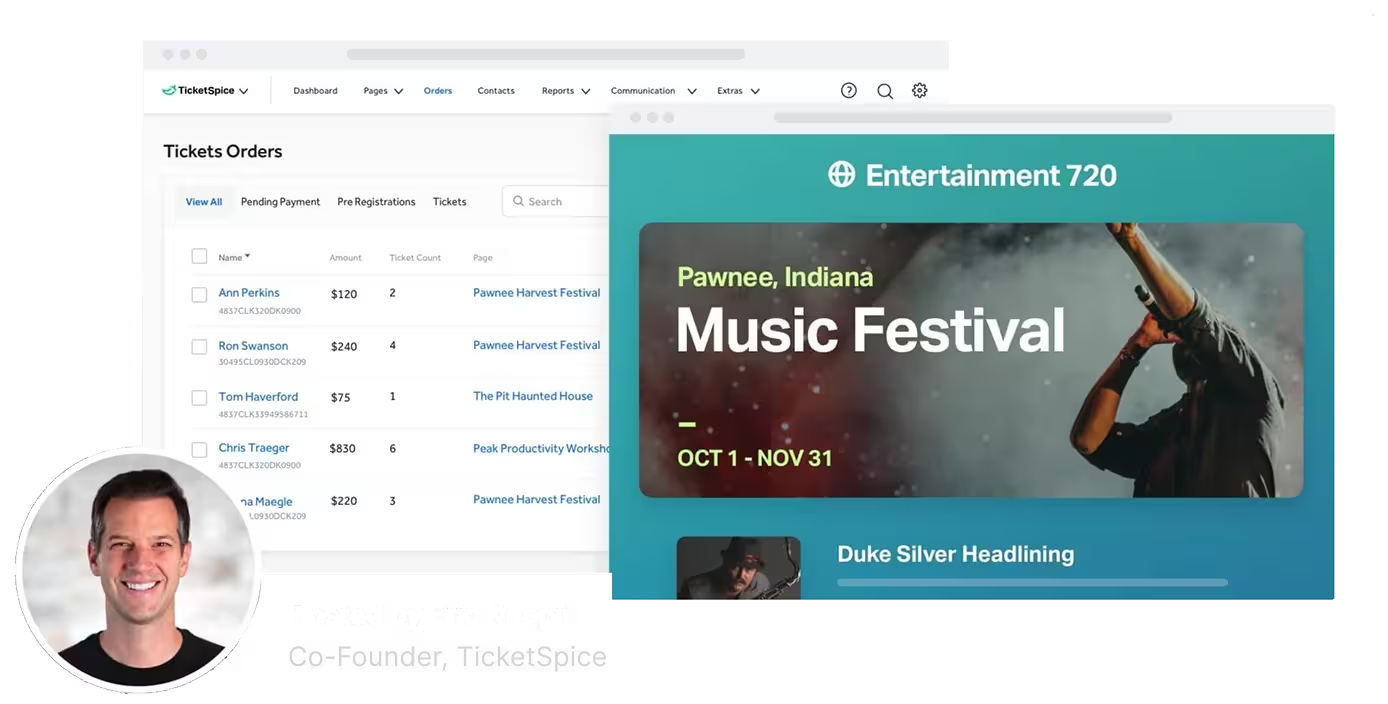
Screenshot of TicketSpice dashboard showing ticket orders and a music festival event page for Pawnee, Indiana, hosted by Eric Knopf.

Ticketing Fees You Set, Markup, and Keep.

Many ticketing companies add on their own fees, without your knowledge, where all the money goes to them. This stinks.

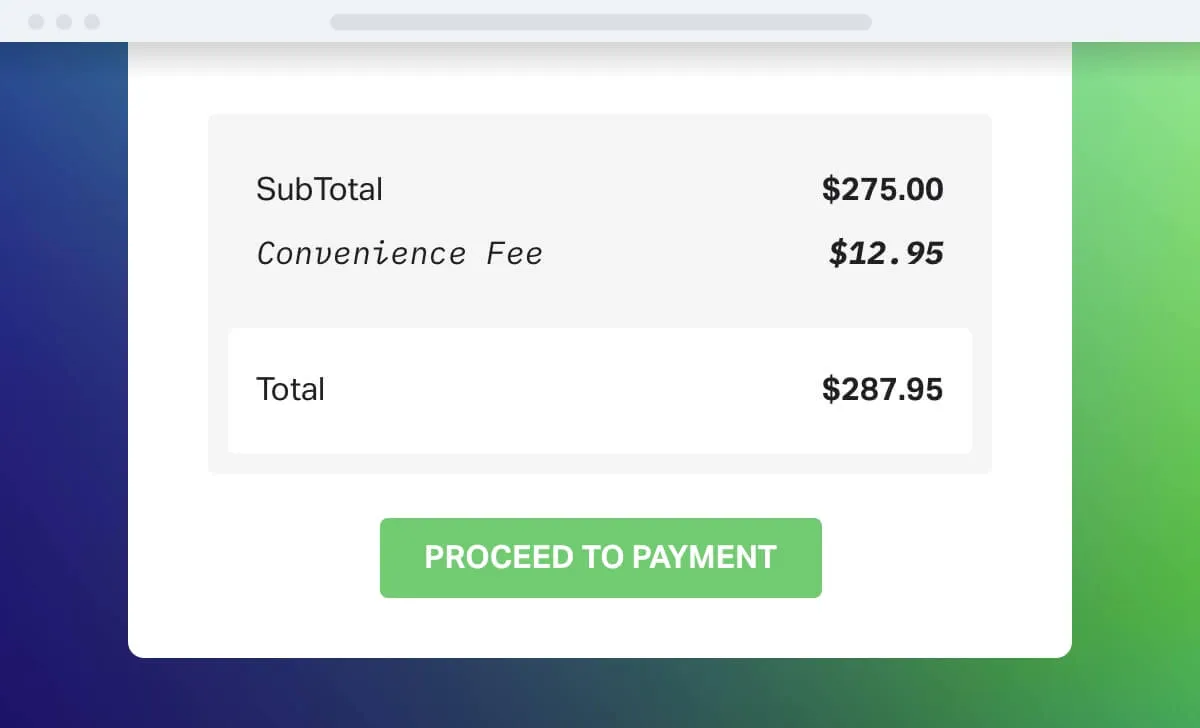
With TicketSpice, you have a choice to add a convenience fee or not. And whatever fees you add to your ticketing page, you get to set and keep.

a screenshot of a payment

Set fees in fixed amounts, percentages, or both

Calculate any convenience, administrative, ticketing, processing fees based on a fixed dollar amount, percentage of a running total, or a combination. Event goers are accustomed to seeing ticketing fees for events, and that money could be going to you.

TicketSpice charges a single low fee direct to you, but you can charge your customers whatever you like.
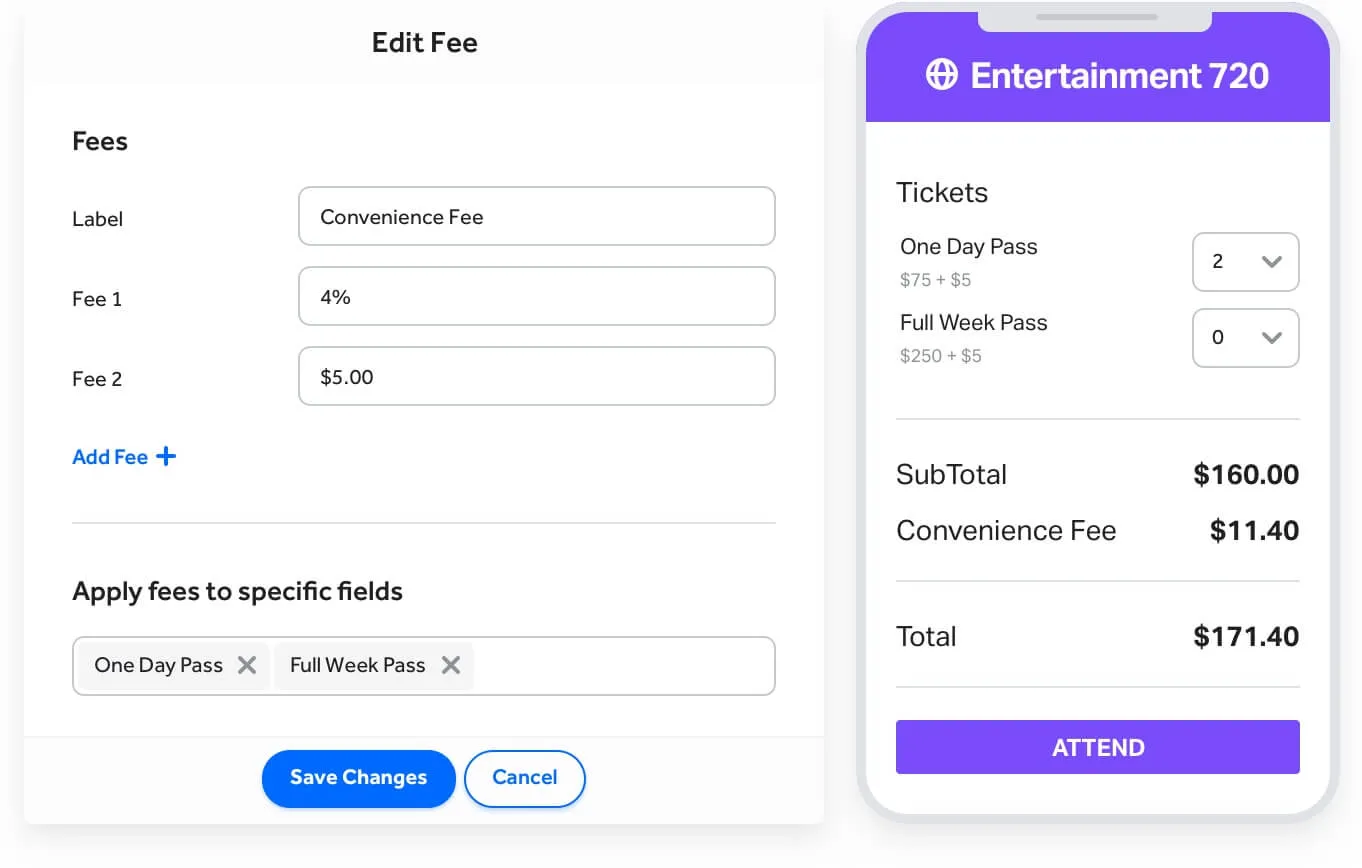
a screenshot of a phone

New profits for your event

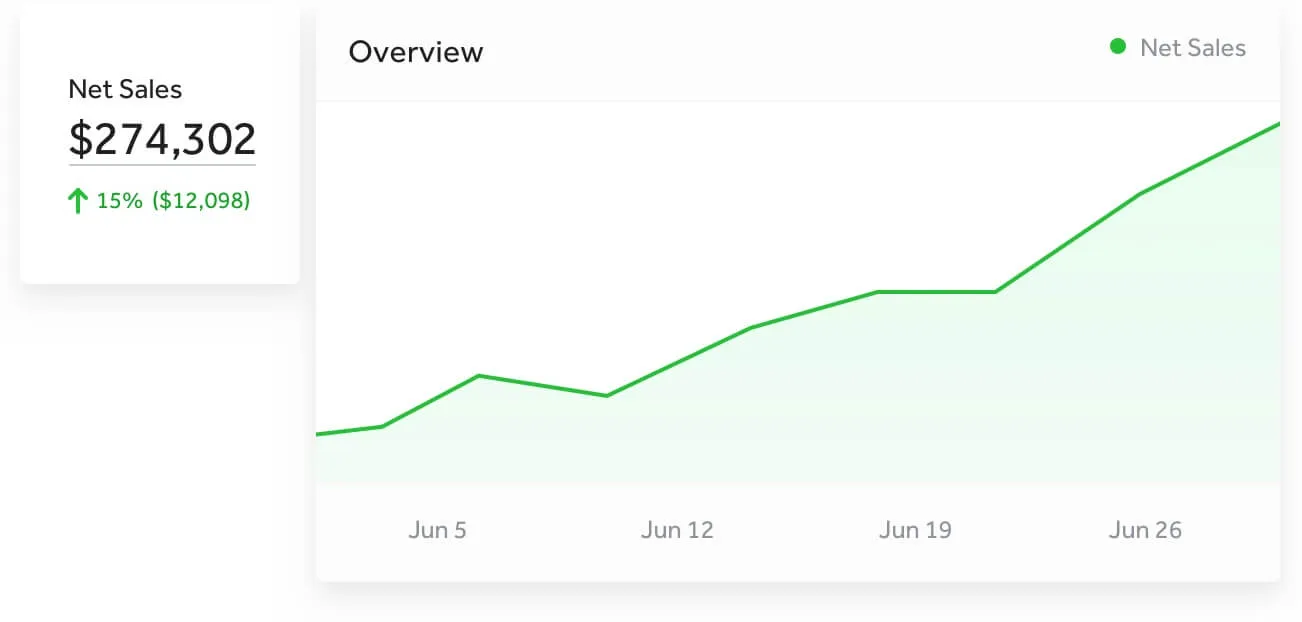
As an event organizer, you know every dollar counts. Setting and keeping your own fees rather than seeing them taken by a ticketing company creates a brand new profit source for your organization.

This difference could make or break the future of your event.

a graph on a white background

Ticketing fee control is another reason why TicketSpice is the best event ticketing platform on the market.

  • Frame

    You decide to charge a fee or not

    Decide if you want to add a convenience or service fee to your page or not. The choice is yours.

  • zap

    Set, markup, and keep all of the fees

    When adding any fee or line item charge to your page, you set and keep 100% of it.

  • Social incentives

    Fixed amounts or percentages

    Create simple or complex fee calculations for your event ticketing page.

  • message smile circle

    New found revenue center

    Discover a brand new revenue source with fees you set and keep

Join a TicketSpice Demo

Seeing is believing. Attend a demo and check out online and on-site ticketing with TicketSpice. You’ll learn to use the ticketing page builder, manage attendees, run reports, and more.

Attend a Demo
Attend a Demo
a man smiling for a picture
Portrait of Eric Knopf, CEO and Co-Founder of Ticketspice, smiling and wearing a light gray button-up shirt.
Black modern electric trick scooter parked on a sidewalk near a wall with shadow.
Blurred abstract image with teal and green tones and horizontal streaks on the right side.
a black play button in a white circle