



Experience a Demo of TicketSpice

Watch an instant demo of our best ticketing features or register for a custom VIP demo for larger events & attractions.

The TicketSpice demo covers everything from creating your ticketing page, to managing attendees, reporting, and on-site ticket scanning.

On-Demand Demo
On-Demand Demo
VIP Demo
VIP Demo
G2 logo.
Capterra logo with colorful paper airplane icon.

Rated 4.9/5 - from over 500 reviews

  • G2 Fall 2025 High Performer Enterprise badge with red and yellow chevron accents.
  • G2 badge for Best Results in Small Business, Fall 2025.
  • G2 Fall 2025 High Performer Mid-Market badge with red and yellow chevron design.
  • G2 Fall 2025 badge for Best Support in Enterprise category.
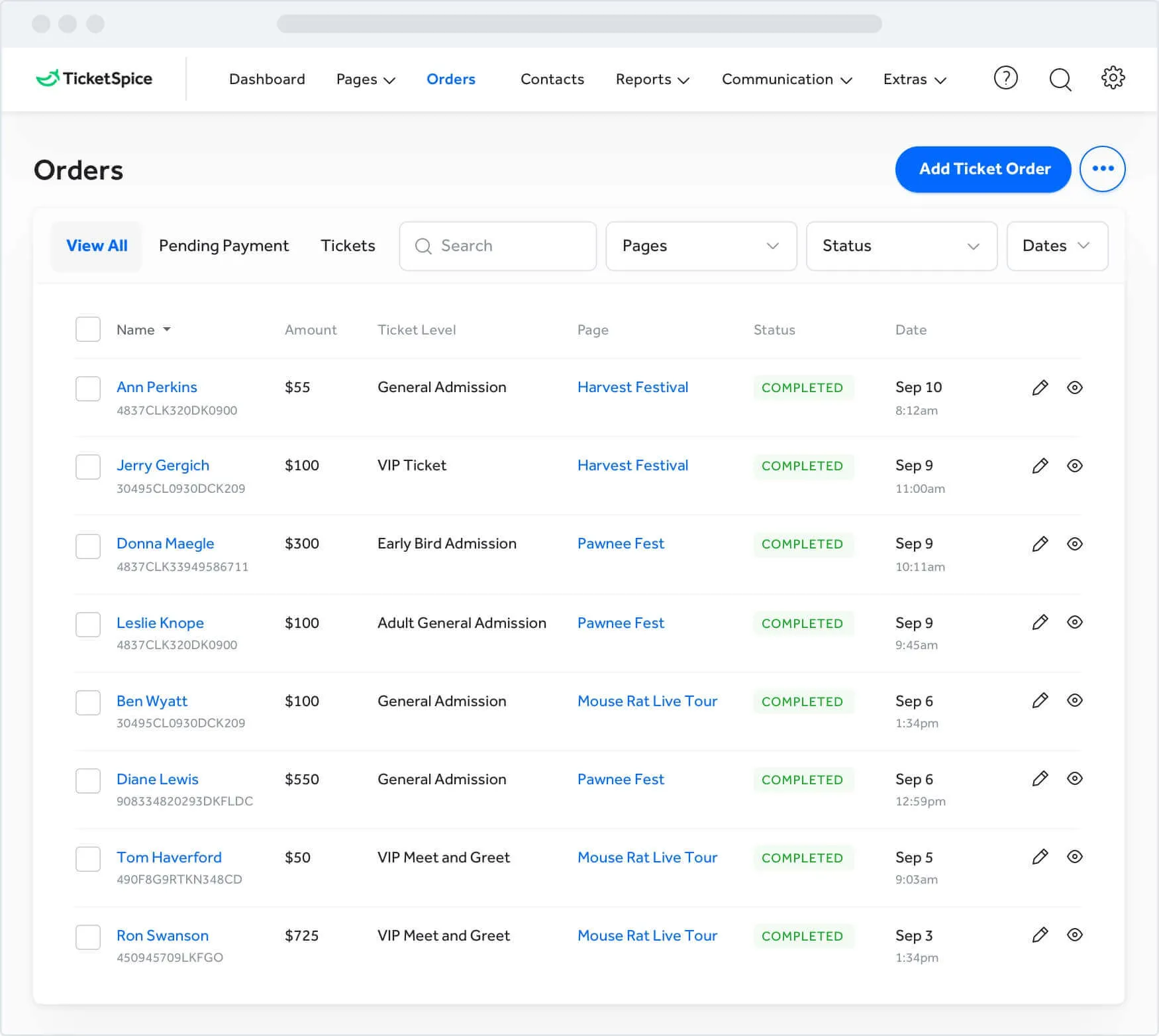
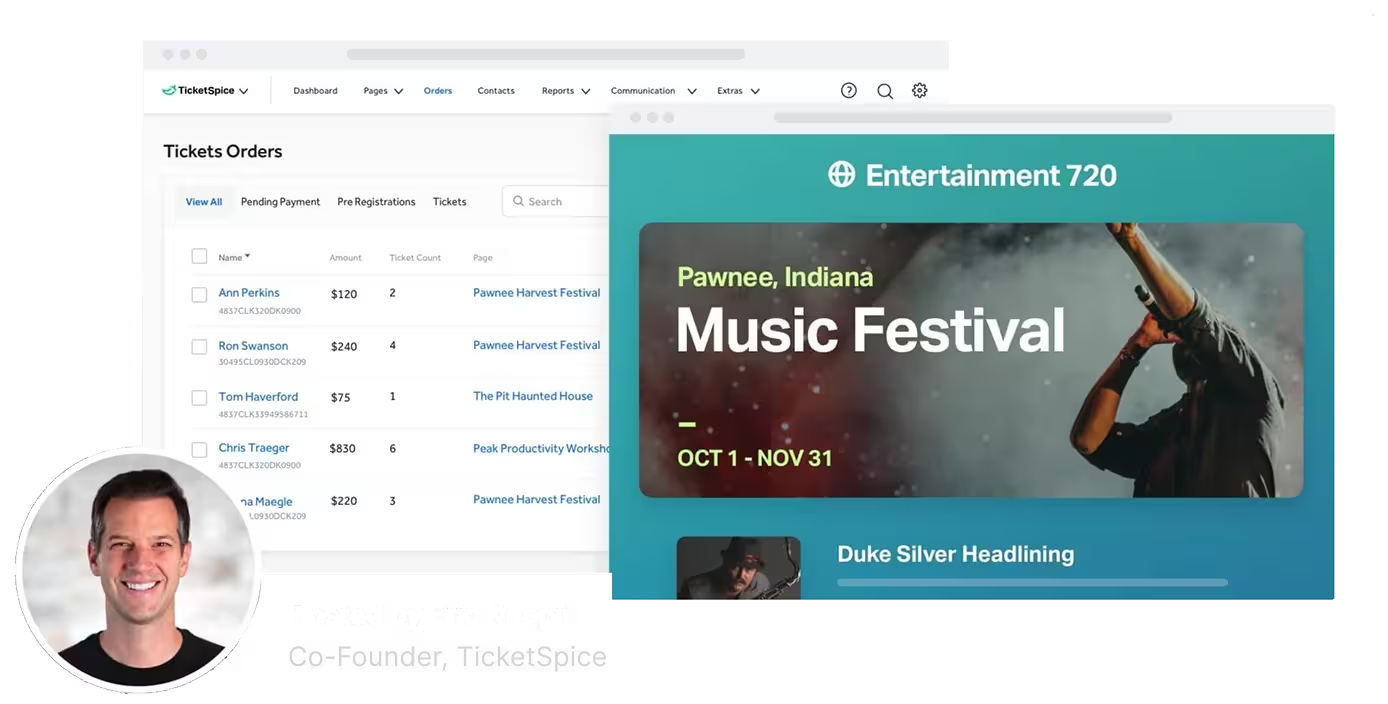
Screenshot of TicketSpice dashboard showing ticket orders and a music festival event page for Pawnee, Indiana, hosted by Eric Knopf.

Easy Ticket Management. Cancel, Edit, Upgrade, Refund, & More

When you sell tickets online, you'll have to deal with ticket buyers needing to make a change. With many event ticketing platforms, managing attendee changes can be a serious headache. Especially when edits require additional payments or refunds.

Other platforms make you cancel and re-register attendees when changes need to be made. Not with TicketSpice. We let you easily make changes and handle all the financials flawlessly.

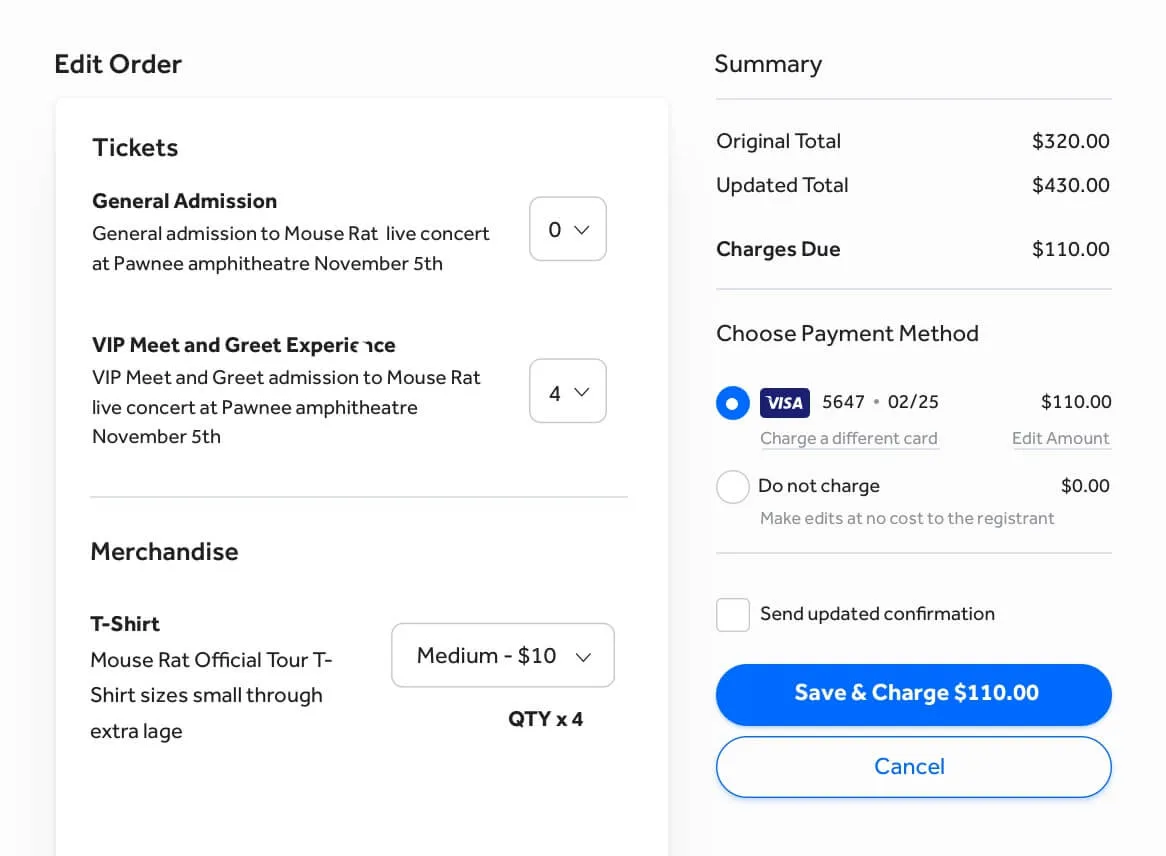
Make any change to any attendee and charge them the difference

When a change is needed, instead of having your attendees start over and re-purchase tickets, TicketSpice lets you make modifications and easily charge a card on file.

Want to override the total and give them a discount? No problem. Need to charge a new card instead? We got you. Want to give them a free upgrade? Easy. Whatever you need to do, TicketSpice makes it pain free.
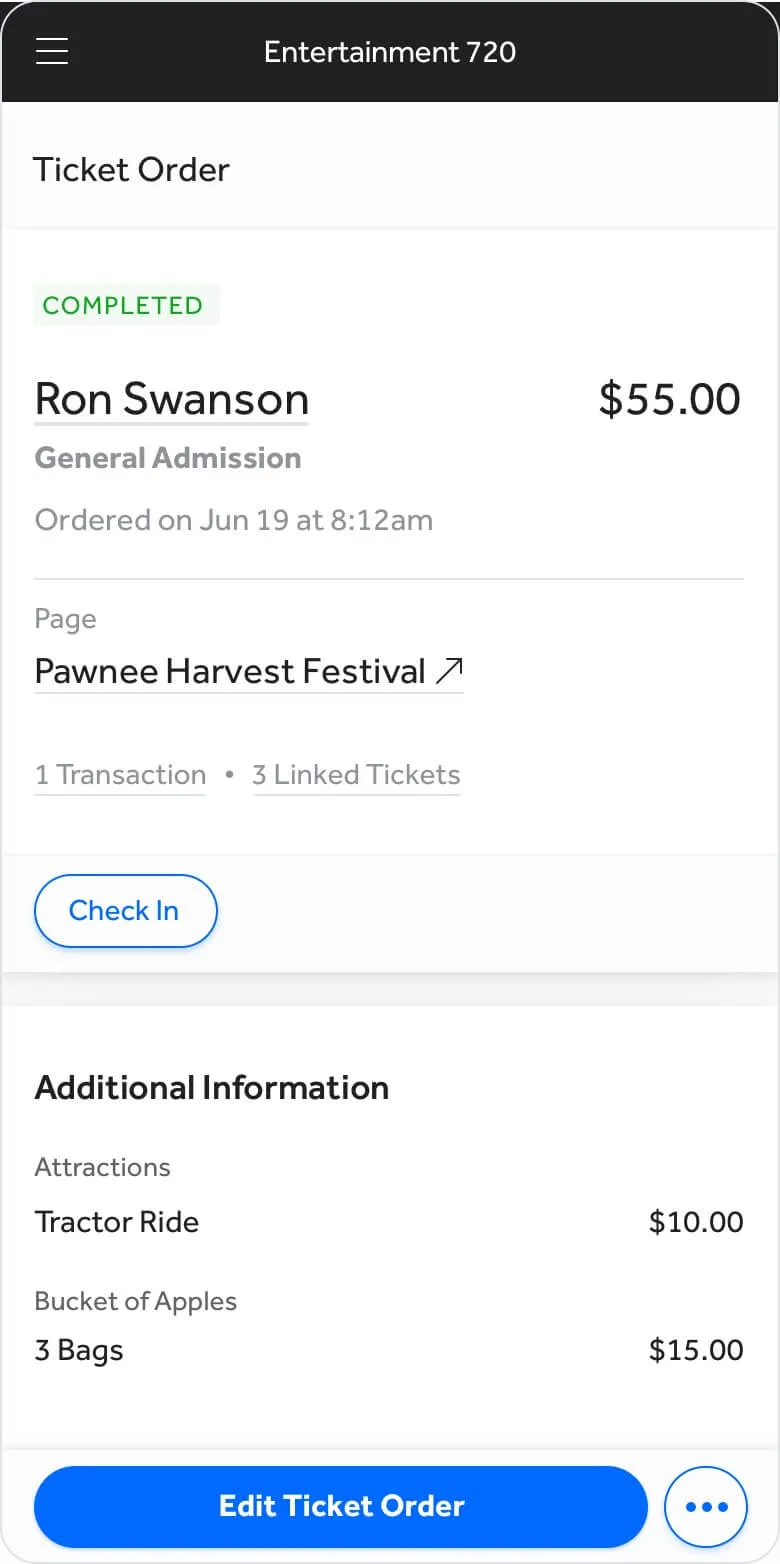
a screenshot of a phone

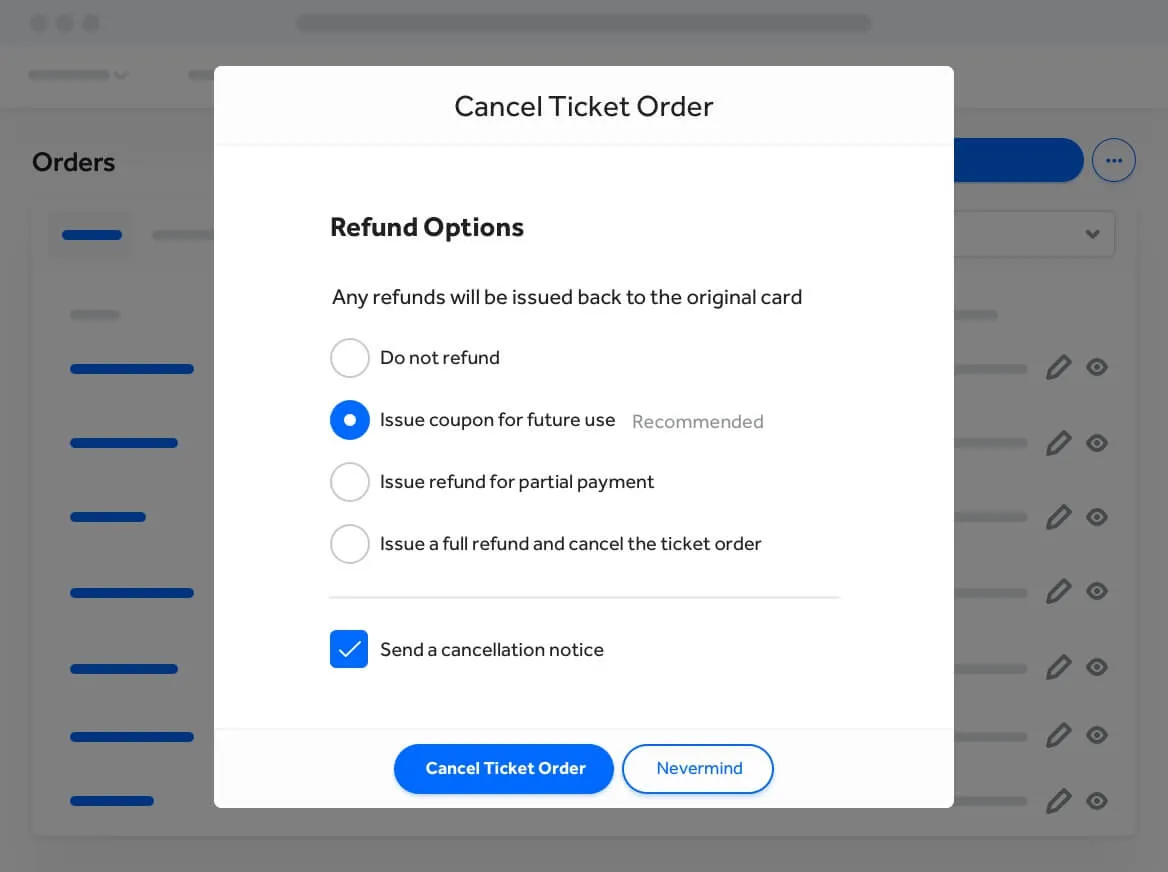
Cancellations and refunds are instant and seamless

Need to downgrade an attendee? TicketSpice can issue them a partial refund. Need to cancel a ticket? TicketSpice lets you do full refunds, partial refunds, or better yet, a coupon code for future events.No matter how you want to manage cancellations and refunds, TicketSpice is on your team.

a screen shot of a ticket order

Easy As Pie Reporting

TicketSpice makes attendee management a snap with seamless searching, viewing, editing, and reporting. Quickly view, sort and filter attendees by event, status, date, type, and more. Export your data to excel, integrate to another platform, or send to a colleague in seconds.

a screenshot of a computer
a screenshot of a phone
Abstract wave shapes in blue and teal gradient on a black background.

Ticket order management is just one reason why TicketSpice is the best event ticketing software on the market today.

  • Purchase Protection

    Edit any ticket

    Make any change to any attendee without canceling or re-purchasing tickets.

  • Merchandise & product sales

    Partial charge or refund

    When attendee changes modify the total price due, charge or refund the card on file.

  • Social incentives

    Search, sort, and filter

    Find any attendee quickly and easily no matter how many events and attendees you may have.

  • Edit & upgrade

    Simple refunds and cancelations

    Issue full or partial refunds to any attendee or issue them a credit for a future event.

  • Weekly event payouts

    Instant reports

    Export your attendee data quickly and easily into excel or CSV. Or memorize any export to auto email.

  • Synchronized analytics

    When you make changes to attendees, all financials and inventories are automatically updated too.

Join a TicketSpice Demo

Seeing is believing. Attend a demo and check out event ticketing with TicketSpice. You’ll learn to use the ticketing page builder, manage attendees, run reports, and more.

Attend a Demo
Attend a Demo
a man smiling for a picture
Portrait of Eric Knopf, CEO and Co-Founder of Ticketspice, smiling and wearing a light gray button-up shirt.
Black modern electric trick scooter parked on a sidewalk near a wall with shadow.
Blurred abstract image with teal and green tones and horizontal streaks on the right side.
a black play button in a white circle