

Experience a Demo of TicketSpice

Watch an instant demo of our best ticketing features or register for a custom VIP demo for larger events & attractions.

The TicketSpice demo covers everything from creating your ticketing page, to managing attendees, reporting, and on-site ticket scanning.

On-Demand Demo
On-Demand Demo
VIP Demo
VIP Demo
G2 logo.
Capterra logo with colorful paper airplane icon.

Rated 4.9/5 - from over 500 reviews

  • G2 Fall 2025 High Performer Enterprise badge with red and yellow chevron accents.
  • G2 badge for Best Results in Small Business, Fall 2025.
  • G2 Fall 2025 High Performer Mid-Market badge with red and yellow chevron design.
  • G2 Fall 2025 badge for Best Support in Enterprise category.
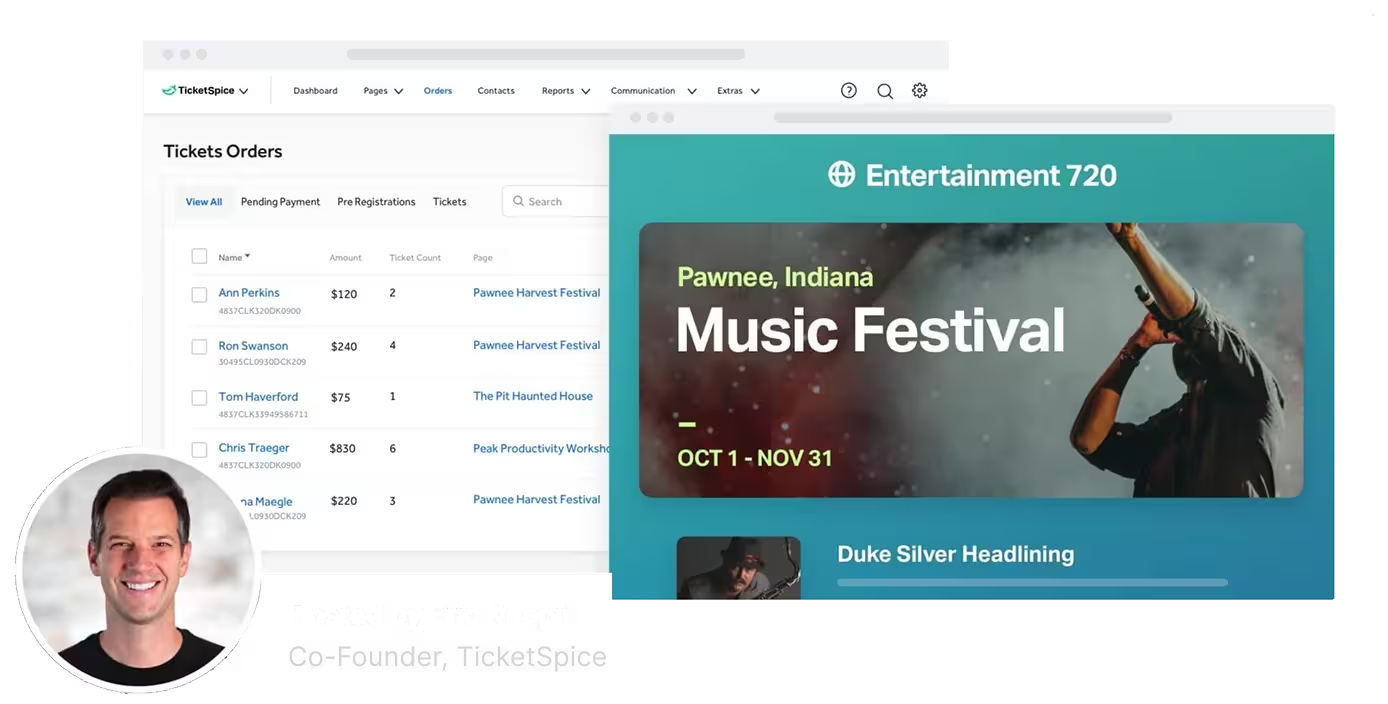
Screenshot of TicketSpice dashboard showing ticket orders and a music festival event page for Pawnee, Indiana, hosted by Eric Knopf.

Drive Record Sales With Email Drip Campaigns

Expert digital marketers use email drip campaigns as one of their primary sales strategies. With TicketSpice, you can create high converting email drip campaigns to sell tickets and set new records.

What are drip email campaigns? Drip campaigns are a collection pre-written emails that automatically get sent to a targeted list. When a someone on the list buys a ticket to your event, they get removed from any emails remaining in the sequence.

Become a digital marketing guru and set record ticket sales by using TicketSpice's drip email campaigns.

Create High Converting Email Campaigns to Drive Ticket Sales

Email drip campaigns for events are incredibly powerful to sell tickets online for your event. Use email drip campaigns to launch a pre-season sale to past attendees, announce a week long promotion, run a special promotion with a last minute deal, and so much more.
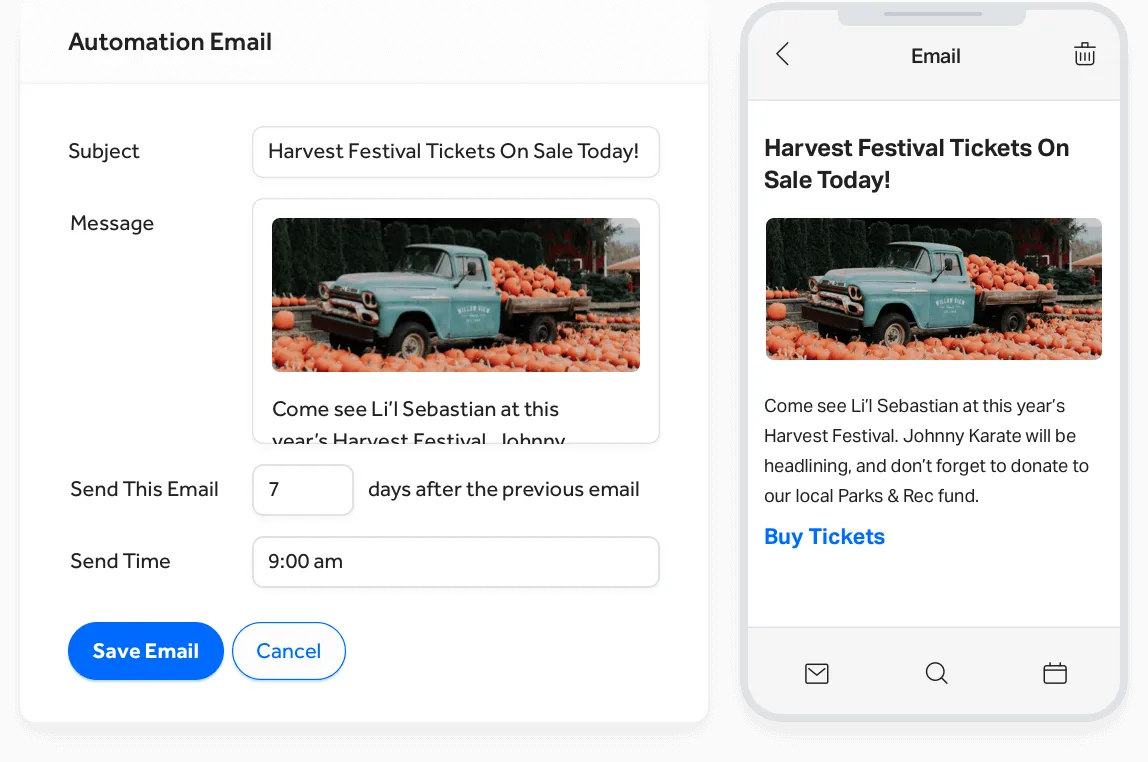
a screenshot of a phone

Create and Launch Email Sequences With Ease

Your pre-written emails will progressively get sent out to your list based on dates you select. Even better, TicketSpice will automatically remove people who reserve tickets, enabling you to increase your offer and urgency through the sequence of emails.

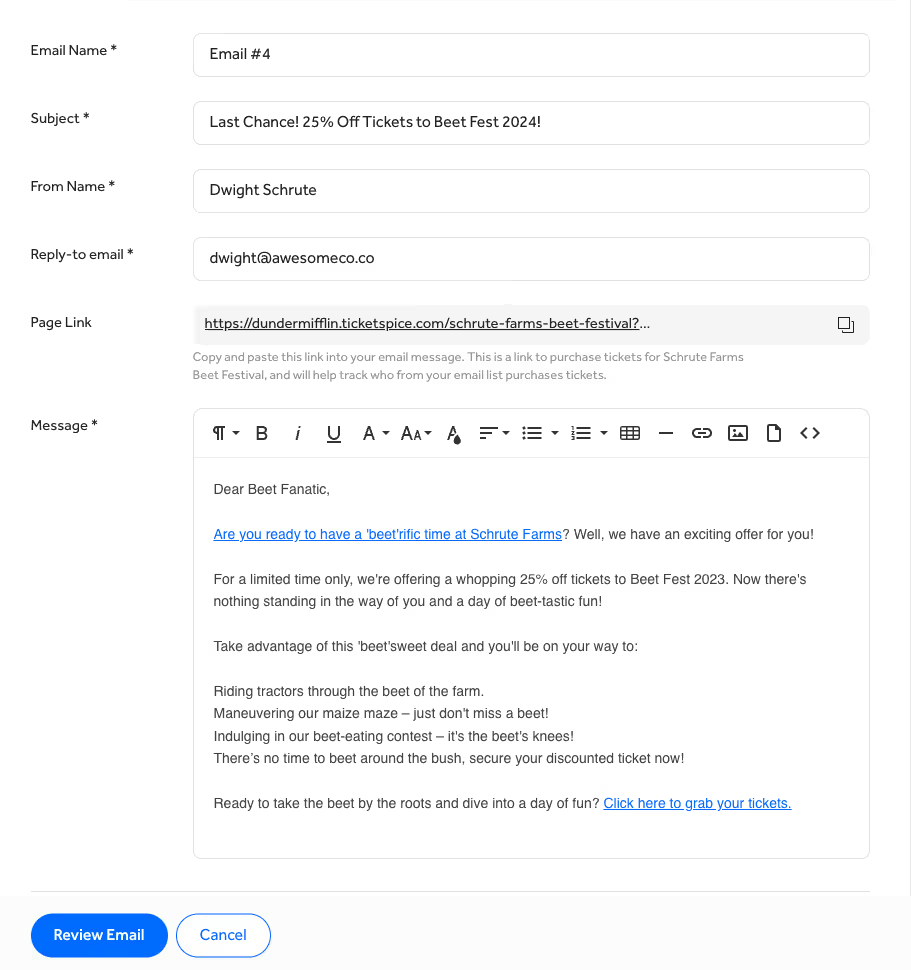
a screenshot of a email

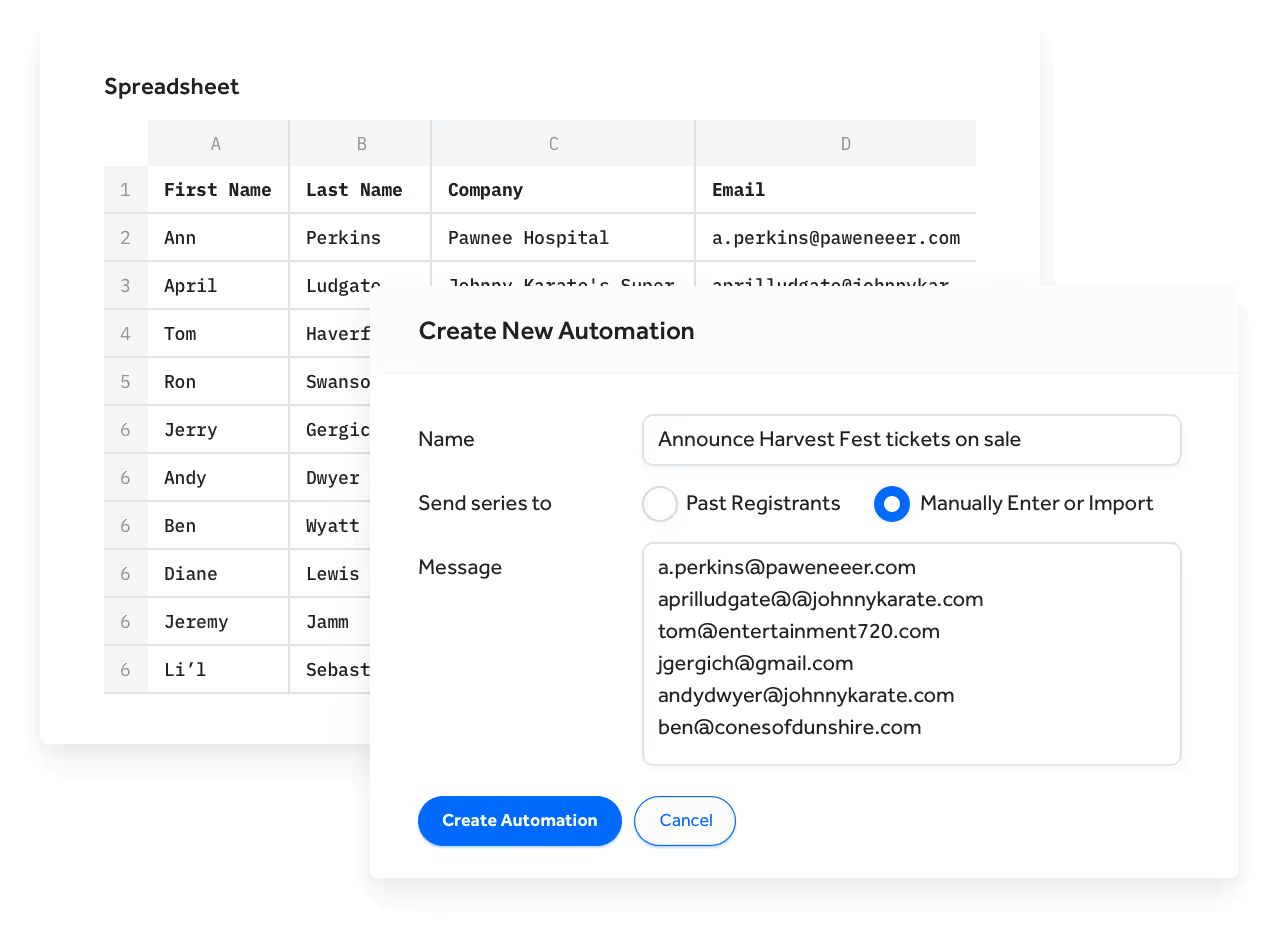
Send to Past Attendees or an Imported List

When building your email drip campaing for your event, TicketSpice lets you target any past attendees from any number of your previous events with a few clicks. Or if you have an existing email database from Mailchimp, Constant Contact, or Quickbooks, simply export that list and then paste in the recipients into your targeted send list inside TicketSpice. They'll be automatically added to the drip campaign and tracked.

a screenshot of a computer

Perfectly Timed Delivery

The secret to highly effective drip email campaigns is in the delay and exact timing of each email. Set up each email then set a delay between each one and set a customized delivery time in a local time zone. Make changes to any email that is remaining in your sequence to make changes to the offer, timing, or content.

screens screenshot of a email

Set it and Forget it

After you've written your sequence of emails, simply set it and forget it. TicketSpice will automatically schedule and send your emails at the time and interval you set. And before each email, we'll double check to see if any recipient has already bought tickets and remove them from the remaining sequence.

a calendar with white squares and white text

Join a TicketSpice Demo

Seeing is believing. Attend a demo and check out event ticketing with TicketSpice. You’ll learn to use the ticketing page builder, manage attendees, run reports, and more.

Attend a Demo
Attend a Demo
a man smiling for a picture
Portrait of Eric Knopf, CEO and Co-Founder of Ticketspice, smiling and wearing a light gray button-up shirt.
Black modern electric trick scooter parked on a sidewalk near a wall with shadow.
Blurred abstract image with teal and green tones and horizontal streaks on the right side.
a black play button in a white circle