

A lot happened in 2025—and if you were busy running events, some updates may have flown under the radar.
As we step into the new year, we’re excited to reflect on the success your events and attractions achieved in 2025, and the TicketSpice features we launched to support that success along the way.
From smoother ticket sales to less admin work and simpler operations, each update was designed to remove friction and give you more control where it counts.
Now that the calendar has turned, let’s revisit the most impactful TicketSpice releases from last year. If a few updates slipped by while you were managing lines, scanners, and sold-out events and attractions, consider this your quick catch-up—no digging through old emails required.
1. Prevent Abandoned Orders with Winback Emails!

Online shoppers are more distracted than ever, but now you can be prepared for it. When someone abandons their order, the Winback emails feature automatically sends a friendly reminder email to return and complete their purchase, 20 minutes after they’ve initiated and stalled out.
Winback emails are simple, automated, and effective giving ticket purchasers a gentle reminder to come back and finish what they started.
Watch this video to learn how to create a Winback email in your TicketSpice account.
2. Booking Summary: Real-Time Attendance Insights
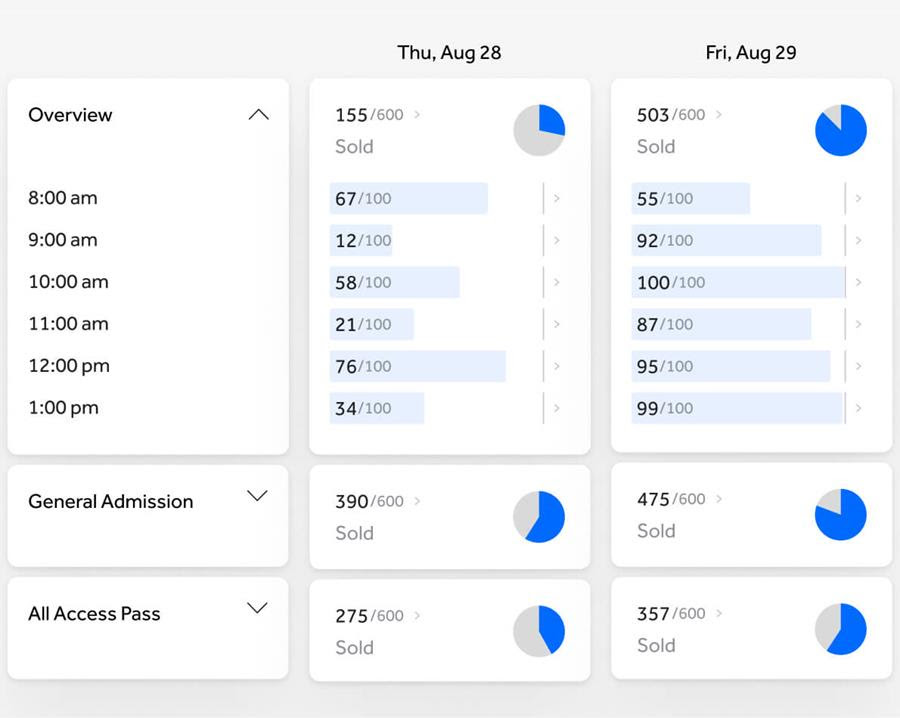
Booking Summary, gives you a crystal-clear, at-a-glance view of how many people are coming to your event and when. It’s ideal for festivals and seasonal attractions with multiple days or time slots. With TicketSpice Analytics, you get instant visibility into sales by day and time slot, showing where demand is trending and how many spots are left.
This makes it easier than ever to staff smart, prep operations, and spot marketing opportunities in real time. Instead of a stack of reports and exports, you have a beautifully simple snapshot of how your event is shaping up.
Learn how to make the most of Booking Summary in this helpful article.
3. Attendee Manifest: A Complete Attendee Roster

Attendee Manifest Report, the extension of Booking Summary, gives you a clean roster of exactly who’s coming and when. It’s ideal for tours, group experiences, or anything that requires a higher level of personalization. Whether you’re expecting all adults in the museum tour or all kids on the tractor rides, Attendee Manifest Report is the perfect tool for planning gear, staffing, safety needs, or special accommodations.
Plus it turns check-in into a smooth, concierge-style moment. If you need the full list offline, you can export a CSV with all attendee details in seconds.
Check out this article to get a clear, detailed attendee roster.
4. Contact Tagging & Advanced Filtering for Smarter Segmentation for Better Communication
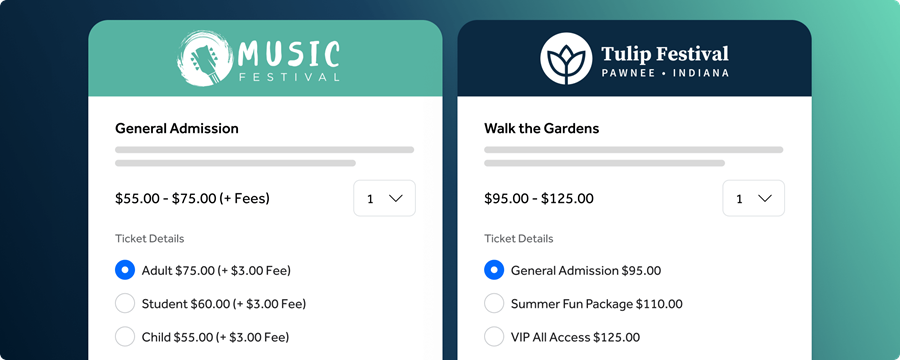
Contact Tagging & Advanced Filtering gives you a whole new layer of visibility into your audience so you can nurture the right people at the right time. Create custom tags for sponsors, VIPs, groups, locals etc, and then use our new filtering tools to dig even deeper. Now you can filter by total spend to spot your highest-value attendees, identify repeat customers, or use flexible ranges to build laser-focused segments.
It’s a simple, powerful way to understand your audience and send more targeted, meaningful communication to the people who drive your success.
Learn more about how to implement contact tagging today!
5. Reserved Seating Enhancements
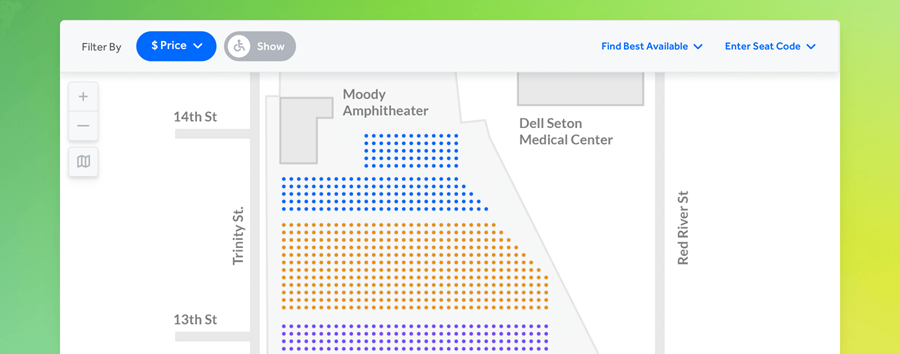
This year brought some of the most meaningful (and most requested) upgrades to Reserved Seating yet. Every update is designed to give you more control, better data, and a seating chart that actually matches your real-world venue.
Attendee Details for Every Seat
You can now collect a name, email, and phone number for each reserved seat. No more four-seat reservations with just one point of contact. Table hosts can enter VIP guests ahead of time; premium events can require ID-matching for tighter security, and every attendee becomes an easily searchable record in your CRM for future marketing. It even speeds up check-in since each person arrives with a named ticket instead of relying on one buyer to wrangle the whole group.
Reserved Seating Status Export
Need complete visibility into what’s selling, what’s on hold, or what’s still available? The new Reserved Seating export gives you a full, audit-style breakdown of every section, row, and seat. The breakdown includes pricing, buyer info, scanning status, hold codes, and performance by price tier. It’s the easiest way to understand your venue’s real-time dynamics and make smarter decisions about pricing, promotions, and inventory.
Rectangular & Square Tables
Finally! Reserved Seating has graduated from a world of exclusively circular seating to one where corners and edges are welcome. Now you can build rectangular and square tables directly into your seating chart. Adjust seats per side, spacing, and configurations with ease so your map actually reflects your layout.
Reserved Seating keeps evolving because of organizers like you who push for these upgrades, and we’re just getting started.
6. Google Pay and Apple Pay — need we say more?
In 2025, we rolled out Apple Pay and Google Pay to make checkout lightning fast. No more lengthy card numbers, typing, or “wait, where’s my wallet?” moments. Instead, buyers can breeze through checkout on any device with a single tap. The result? Fewer abandoned orders, happier mobile shoppers, and sales that keep flowing even during your busiest peaks. It’s easy to turn on, fully secure, and built for the on-the-go attendee who expects checkout to feel as effortless as scrolling through memes.
Get a detailed walkthrough of how to activate Google and Apple Pay for your events.
Other Notable Features & Enhancements
These are the “Oh dang, that’s cool!” additions that didn’t get their own press tour, but they still deserve a shoutout.
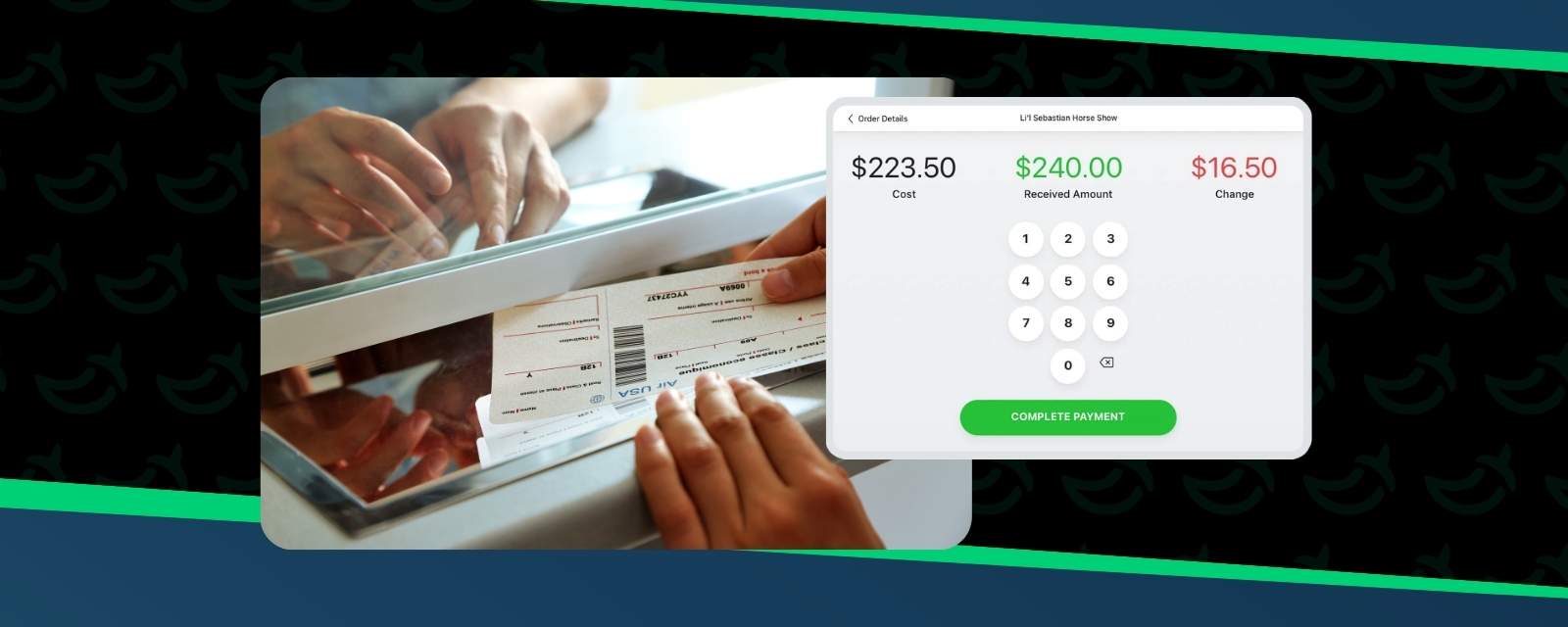
🧾 Cash Drawer Support for Box Office - Your box office just got a serious glow-up. Cash drawer support now makes onsite sales faster and more efficient: tap, print, pop, repeat. Lines move quicker, staff stay calmer, and everyone is happier.
💺Seat Holds on the Analytics Map - Now you can see seat holds directly on your analytics map, giving you instant visibility into available inventory and high-demand sections. It’s like switching from flashlight mode to stadium lights.
✍️ Digital Waivers - Waivers got the VIP treatment with smoother signing and a cleaner, more intuitive interface. Attendees can breeze through the process, and your legal folks sleep better at night.
💳 Memberships Across All Products - Memberships are now fully connected across TicketSpice, RegFox, and RedPodium. A member can buy in one system, renew in another, and everything will sync automatically.
🙌 Manager Above the Ticket Block - You can now place the member manager field above the ticket block to cut down on the scroll-validate-scroll hassle. Plus, line breaks are now supported in the header for cleaner layouts and easier reading.
🇨🇦 Messaging for Our Canadian Friends - Canada, welcome to the SMS party! Event organizers up north can now send fast, reliable text reminders to boost attendance and keep guests informed.
🗓️ New Inventory Colors in Calendars - Calendar views now use colors to signal availability: green means plenty left, yellow means fewer than 25%, and red means sold out. Attendees instantly feel the urgency, and you get a subtle conversion boost.
📈 Enhanced Tracking Parameters in GA4 Data - A small update with big attribution power: tracking parameters from major platforms now pass into GA4 for all orders. That means clearer insights, better reporting, and a more accurate understanding of what’s driving your sales.
📧 Improved Email Campaign Sending Reliability - Behind the scenes, we optimized performance to make email campaign sending smoother than ever. You can count on faster queries, better delivery, and a lot less waiting around.
TicketSpice Resources to Boost Your Event
We’re always looking for ways to support you in your quest for event success, whether through webinars, workshops, or hands-on training.
Here are a few of our most popular, value-packed resources from 2025:
👉 Behind the Best Email Drip Campaigns
👉Top 7 Ways to Sell Out and Maximize Revenue
My hope is that as you review these resources they might give you fresh ideas and maybe even a few “aha” moments and inspire you for the year ahead.
Still with me? You deserve a gold star!
Now, before we wrap up, we want to pull back the curtain on the people behind these updates.
None of the progress we made this year would have been possible without our incredible team. In 2025, we welcomed a new wave of talented, dedicated teammates who jumped right in and helped bring these improvements to life. We’re grateful for their contributions and excited for everything we’ll build together next.

Our team also hit the road this year, attending conferences and events where we were able to connect with many of you in person. Those conversations gave us valuable insight into what you need most, and they’re already helping shape what’s coming next for TicketSpice. We can’t wait to see even more of you in the year ahead.

What’s Next for 2026?
Well, I'd say that’s a wrap! Our 2025 releases were built to help your events run better, faster, and more successfully.
And we’re not stopping there. We’re already hard at work on power-packed features and updates for 2026, and we can’t wait to show you what’s next.
You can expect AI-powered tools woven directly into TicketSpice, advanced reporting so detailed your accountant may want to buy us a steak dinner, and more new features designed to make your events smarter, faster, and even more revenue-generating.
We’re honored to help power your events and support your success every step of the way. If you’re ready to put these features to work, TicketSpice is here to help.
Here’s to a game-changing 2026 filled with sold-out events, happy attendees, and more wins for your team.
— Eric & the TicketSpice Team