


Experience a Demo of TicketSpice

Watch an instant demo of our best ticketing features or register for a custom VIP demo for larger events & attractions.

The TicketSpice demo covers everything from creating your ticketing page, to managing attendees, reporting, and on-site ticket scanning.

On-Demand Demo
On-Demand Demo
VIP Demo
VIP Demo
G2 logo.
Capterra logo with colorful paper airplane icon.

Rated 4.9/5 - from over 500 reviews

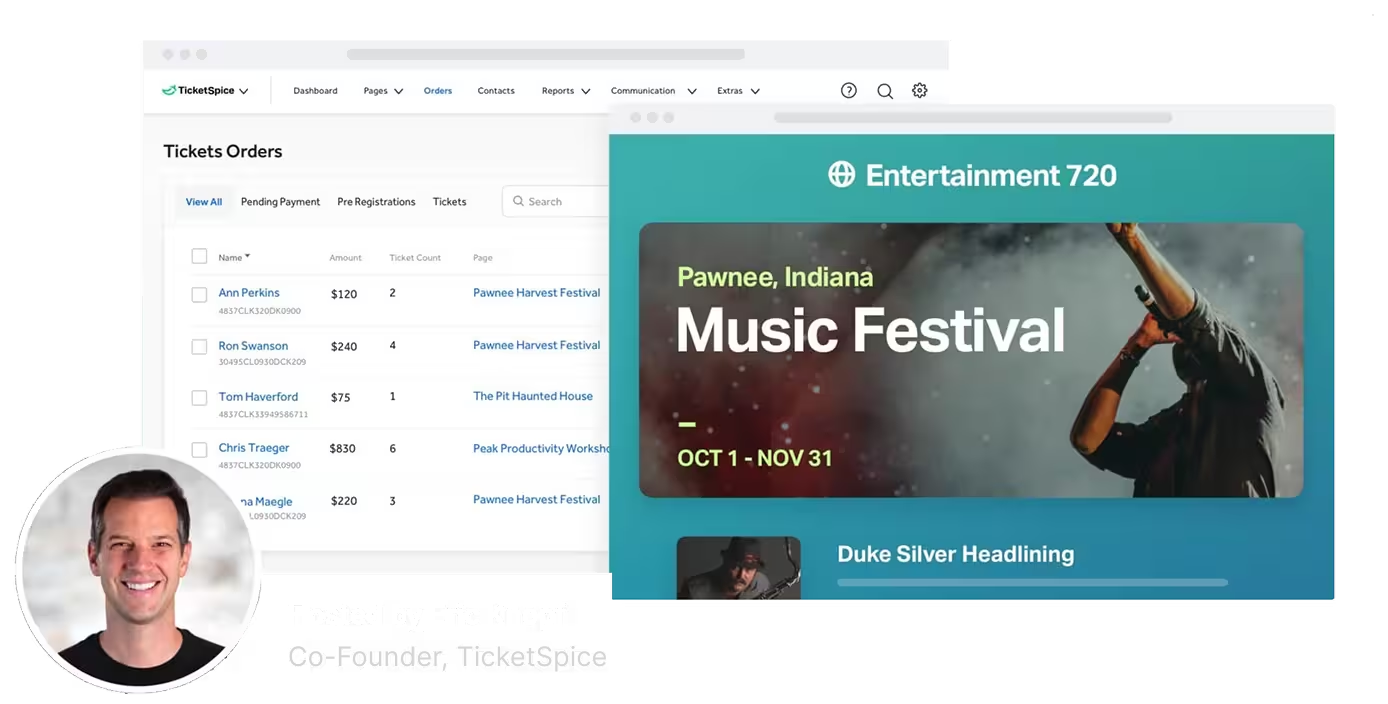
Screenshot of TicketSpice dashboard showing ticket orders and a music festival event page for Pawnee, Indiana, hosted by Eric Knopf.

Event Attendance and Capacity Reporting

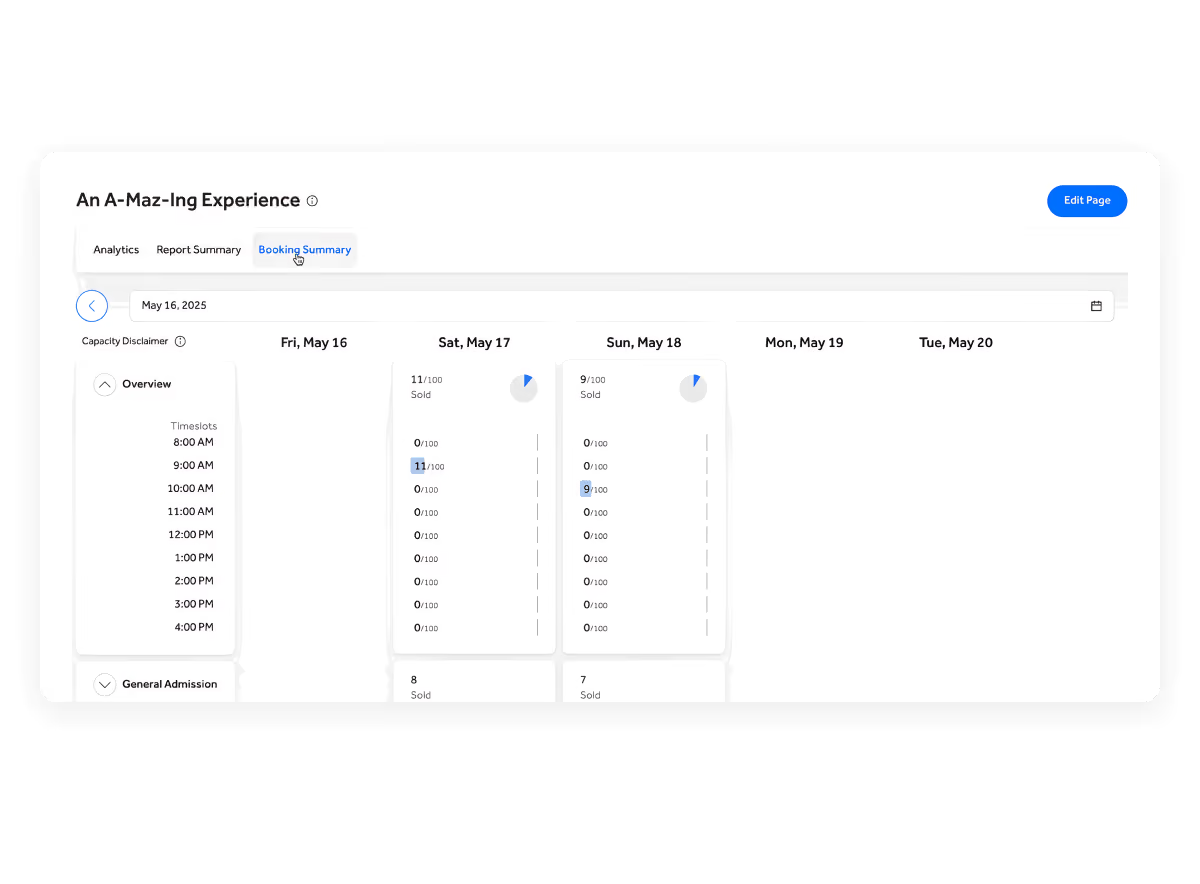
See how many tickets you’ve sold, how much capacity remains, and exactly who is expected to arrive, all without running a report. TicketSpice’s Booking Summary and Attendee Manifest give you a live view of attendance across every event date and time slot so you can plan operations, guide marketing, and prepare your team.

Ticket options for Pawnee Music Festival showing General Admission at $150 plus $5 fee, VIP & Red Carpet Experience at $300 plus $10 fee, with a button to share on Facebook for an instant discount.

See Every Booking at a Glance

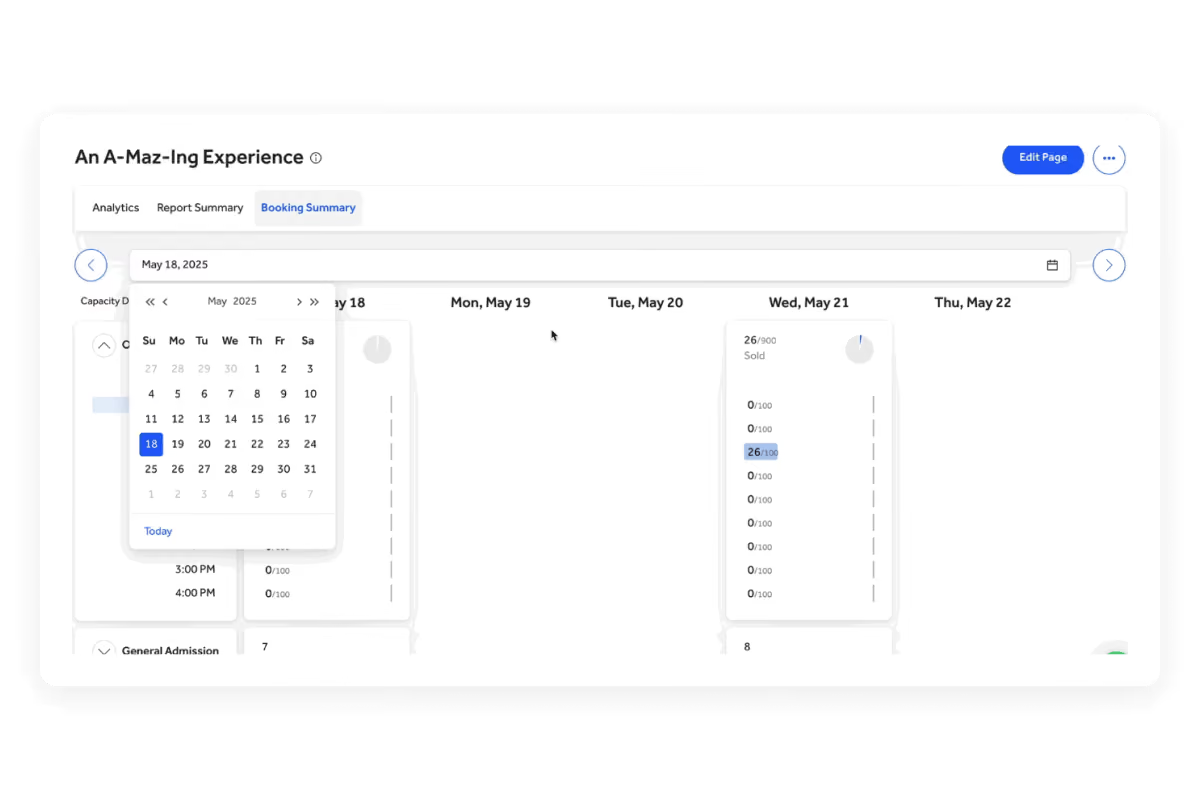
View ticket sales across your event dates, time slots, and ticket levels from one visual summary. Booking Summary gives you a clear, real-time picture of how your event is filling up without requiring spreadsheets or CSV exports.
Monitor Capacity and Spot Opportunities

Compare tickets sold with remaining availability for each day and time slot. Quickly identify busy periods that may need additional staffing and slower sessions that could benefit from a promotion or targeted marketing campaign.

Know Who’s Coming and When

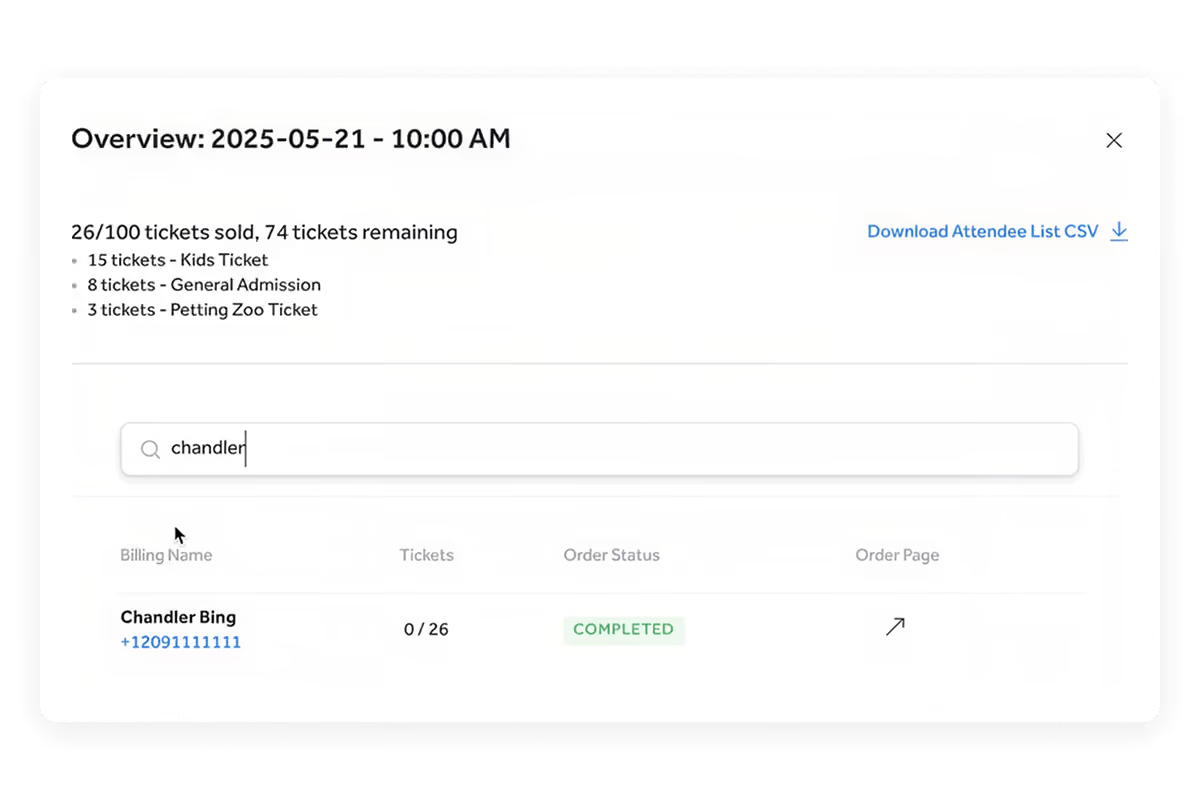
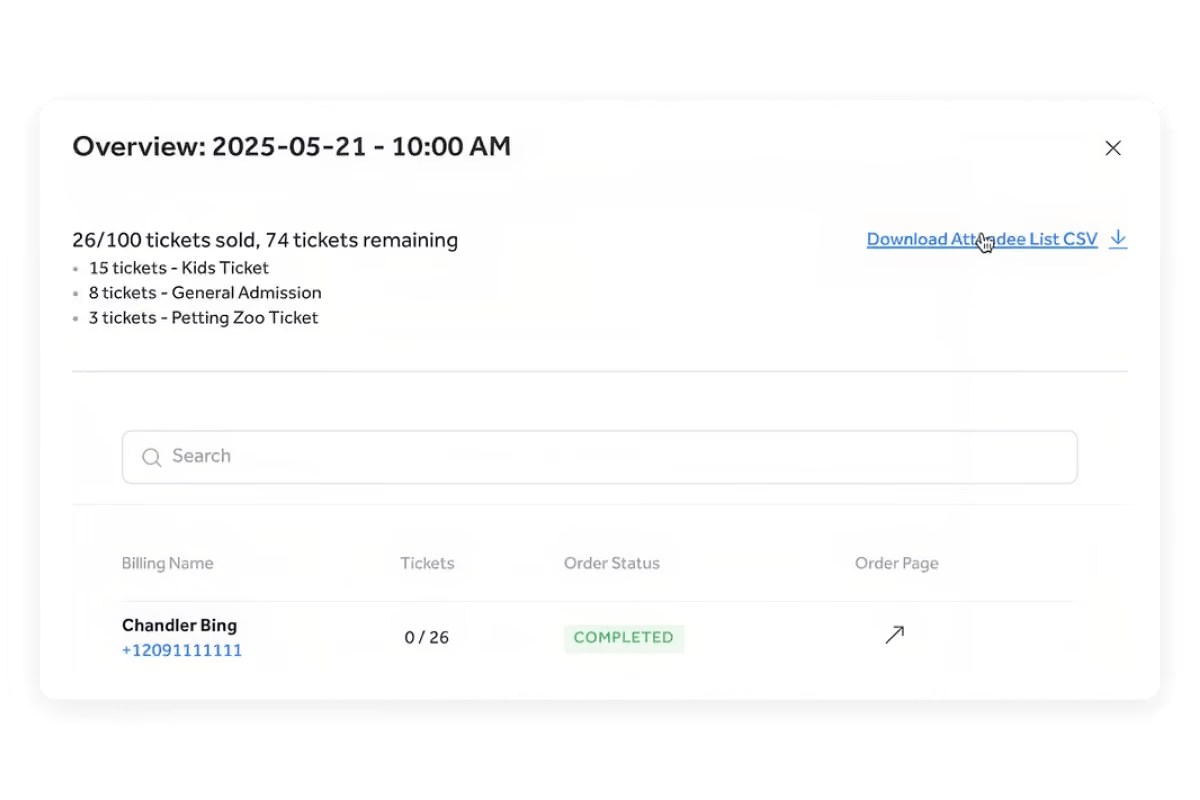
Open the Attendee Manifest for any day or time slot to review guest names, phone numbers, ticket quantities, check-in activity, and order status. Jump directly to an individual order when your team needs to make an update or assist a guest.

Prepare for a Better Guest Experience

Use attendance details to plan staffing, parking, entry, concessions, merchandise, equipment, and other operational needs. Whether you’re running tours, festivals, or seasonal attractions, your team can prepare for each group and welcome guests with confidence.

Turn real-time ticket sales into a clear plan for every day and time slot.

  • Live Booking Overview

    See how many tickets have sold across upcoming event dates without running a report.

  • Date and Time-Slot Breakdowns

    Review sales and attendance by day, time slot, or individual
    ticket level.

  • Capacity Visibility

    Compare tickets sold with remaining availability to see how quickly each session is filling.

  • Searchable Attendee Manifest

    Find guests by billing name, phone number, or order number directly within Booking Summary.

  • Direct Order Access

    Open an attendee’s order from the manifest for faster edits, assistance, or check-in.

  • Downloadable Attendee Lists

    Export attendee and ticket details to a CSV when your team needs an offline roster or spreadsheet.

Join a TicketSpice Demo

Seeing is believing. Attend a demo and check out online and on-site ticketing with TicketSpice. You’ll learn to use the ticketing page builder, manage attendees, run reports, and more.

Attend a Demo
Attend a Demo
a man smiling for a picture
Portrait of Eric Knopf, CEO and Co-Founder of Ticketspice, smiling and wearing a light gray button-up shirt.
Eric Knopf, CEO
Black modern electric trick scooter parked on a sidewalk near a wall with shadow.
Blurred abstract image with teal and green tones and horizontal streaks on the right side.
a black play button in a white circle