
Organizers comparing “Stripe vs. Eventbrite fees” or “PayPal vs. ticketing platform fees” usually start with the obvious number: the payment processing rate.
But processing rates alone don’t tell the full story of running ticket sales.
A payment processor handles the transaction. A ticketing platform handles the transaction plus the tools that help you sell, manage, and protect the ticket sale.
So before choosing the cheapest-looking processor, look at total cost of ownership. In other words, consider what it actually costs to sell the ticket, manage the buyer, protect the order, and keep the revenue.
What Payment Processing Actually Means for Event Ticketing
Payment processing is the system that charges the buyer’s card and moves funds into your account.
For event ticketing, the cost usually has several layers:
- Card network fees: Costs tied to Visa, Mastercard, American Express, and other card networks.
- Processor fees: The rate charged by a processor such as Stripe, PayPal, Square, or Webconnex Payments.
- Platform fees: The ticketing software fee, often charged per ticket, as a percentage, or through a subscription.
- Hidden operating costs: Chargebacks, fraud, abandoned carts, manual reporting, custom checkout development, and disconnected tools.
Generic processors usually quote the processor fee. And while that number matters, it’s only one piece of the pie.
TicketSpice uses Webconnex Payments to support secure payment processing inside the ticketing platform, while also giving organizers the ticketing tools needed to sell, manage, and protect each order. That keeps payment processing tied to the rest of the ticket sale, so your team is not reconciling payments in one place, tickets in another, and attendee data somewhere else entirely.
Payment Processor vs. Ticketing Platform: What’s the Difference?
👉 A payment processor helps you collect money.
👉 A ticketing platform helps you sell tickets.
That difference matters. Stripe, PayPal, and Square can process a transaction, but they don’t automatically give you branded ticket pages, ticket delivery, attendee data, seat maps, timed-entry capacity, promo-code controls, ticket scanning, refunds tied to ticket types, or ticketing-specific reporting.
That means the processor fee is only part of the cost. The rest shows up in extra tools, custom setup, manual work, abandoned carts, and revenue leaks that are harder to see upfront.
TicketSpice combines payment processing with the ticketing tools organizers need to manage the full sale, from branded checkout to attendee reporting. And with a branded checkout process, buyers stay in an experience that looks like your event, not a generic payment page.
The Real Cost of Using a Generic Payment Processor for Ticketing
A generic processor can help you collect money, but it won’t automatically give you the tools needed to run ticket sales.
That gap creates hidden costs:
- Checkout friction: Buyers may abandon the purchase if the flow feels disconnected, confusing, or missing seat and ticket-type context.
- Fraud and chargeback risk: Basic processors can flag payment issues, but they are not built around ticket inventory, entry scans, promo-code behavior, or attendee records.
- Extra tools and labor: Features like attendee reporting, refunds tied to ticket types, timed-entry capacity, discount controls, seat maps, and onsite sales often require custom development, third-party software, or manual work.
The processor fee may look like the simple option, but missing ticketing tools can make the total cost much higher.
When a Generic Processor Actually Makes Sense
There are a few cases in which a standalone processor can make sense.
For instance, if you’re running a free event, selling a very small number of tickets, or already have a developer building a custom checkout, Stripe, PayPal, or Square may be enough.
They can also work if ticketing isn’t central to the experience and you don’t need timed entry, seat maps, attendee segmentation, onsite sales, promo controls, or detailed reporting.
But once ticket sales become a real revenue channel, the “cheap” option can get expensive fast.
When a Ticketing-Specific Platform Pays for Itself
If your event or attraction needs more than a basic payment form, a ticketing platform can quickly pay for itself.
That is especially true when you need to manage:
🔁 Recurring events
🪑 Reserved seating or seat maps
⏰ Timed-entry admissions
🎟️ Multiple ticket types
🏷️ Promo codes and partner discounts
📊 Attendee reporting
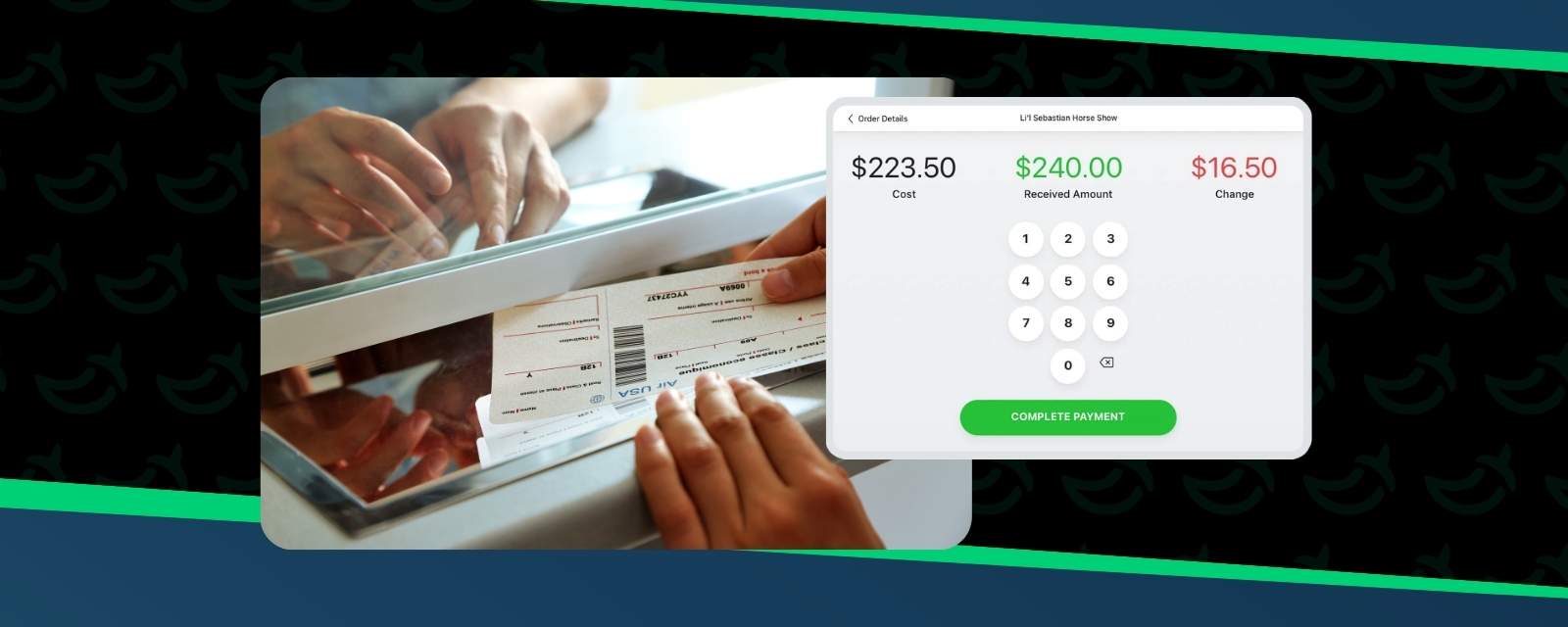
💳 Onsite ticket sales
🛡️ Fraud and chargeback tools
✨ Branded checkout
These aren’t just “nice-to-have” features. They help organizers reduce manual work, protect revenue, and manage the full ticket sale from checkout to check-in.
A generic processor may help you collect the payment. A ticketing-specific platform helps you run the operation behind it.
TicketSpice is built for organizers who want low per-ticket processing fees without giving up the tools that help protect revenue.
How to Calculate Your True Per-Ticket Cost
To compare platforms fairly, you need to look beyond just the payment processing rate.
Some important questions to ask:
✅ What is the payment processing rate?
✅ Is there a per-ticket platform fee?
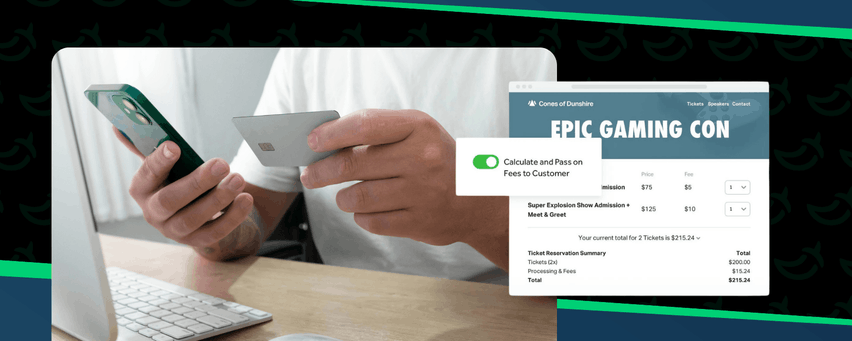
✅ Can fees be passed on to buyers?
✅ Does checkout stay branded?
✅ Are promo codes, discounts, and partner codes included?
✅ Are fraud and chargeback tools included?
✅ Can you manage refunds, ticket types, and attendee data in one place?
✅ Do you need extra development to make it all work?
That’s why a processor rate is not the whole answer.
For a broader comparison, see our guide to affordable ticketing platforms.
FAQs
Is Stripe cheaper than a ticketing platform for events?
Stripe may look cheaper if you only compare payment processing rates. But Stripe does not include ticketing-specific tools like seat maps, timed entry, branded ticket pages, attendee reporting, ticket scanning, or promo-code controls without additional setup or custom development.
What fees do event ticketing platforms charge besides payment processing?
Most event ticketing platforms charge payment processing fees plus a platform fee. That platform fee may be a flat per-ticket fee, a percentage of the ticket price, a subscription, or a combination of fees.
Can I use PayPal or Square to sell event tickets directly?
Yes. You can use PayPal or Square to collect ticket payments directly, but they are payment processors first. You may still need separate tools for ticket delivery, attendee data, scanning, refunds, promo codes, and reporting.
What is the difference between a payment processor and a ticketing platform?
A payment processor charges the buyer’s card and moves money. A ticketing platform manages the full ticket sale, including checkout, ticket delivery, attendee records, promo codes, refunds, reporting, scanning, and other event-specific tools.
How do I calculate the true cost of selling tickets online?
Add the payment processing fee, platform fee, estimated chargeback or fraud exposure, and the cost of any extra tools or custom development. That gives you a clearer picture of total cost than comparing processing rates alone.
Choose the Platform That Shows the Real Cost
Payment processing fees matter.
But they are not the whole cost of selling tickets.
A generic processor may help you collect payments, but a ticketing platform helps you manage the entire sale from checkout to reporting. That’s where organizers protect revenue, reduce manual work, and avoid paying for five tools to do one job.
TicketSpice gives organizers transparent pricing, branded checkout, attendee data, reporting, promo tools, onsite sales, and ticketing-specific controls in one platform.
Ready to see your real cost? Explore TicketSpice pricing, compare what you actually pay to sell each ticket, or reach out to our support team for help finding the setup that makes the most sense for your event.
We’re here to help you sell tickets with more transparency, fewer disconnected tools, and a clearer path from checkout to revenue.
— The TicketSpice Team